24
NOTE
Do not install or remove the battery with the key left inserted on the battery mount or the keyhole cap left open.
The battery may be damaged if it comes into contact with the top (grip portion) of the key.
Installing and removing the cycle computer
The cycle computer can also be secured to the bicycle so that it cannot be easily removed. Please contact your place of
purchase for details.
Installing
1.
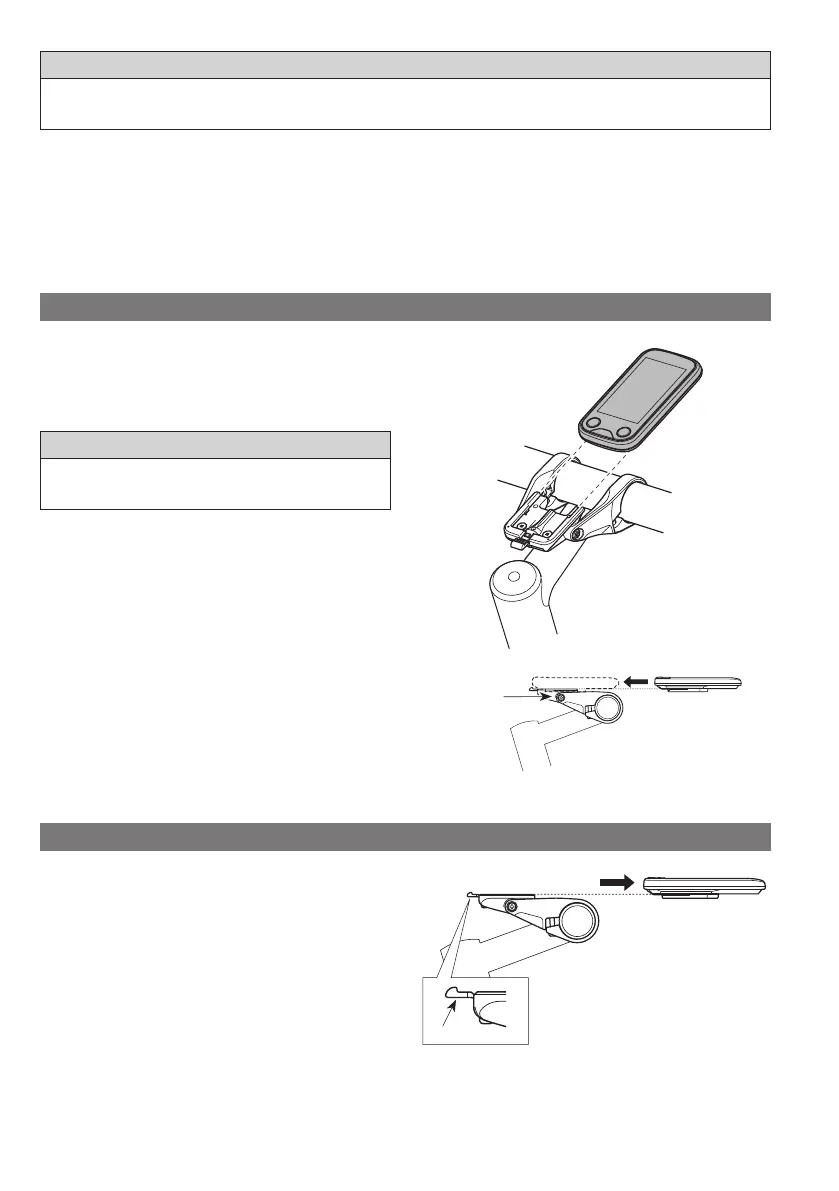
Slide the cycle computer onto the bracket.
2.
Insert the cycle computer securely until it clicks into
place.
NOTE
If the cycle computer is not correctly installed, the assist function
will not operate normally.
Bracket
Removing
1.
Slide out the cycle computer.
•
Push the lever firmly to release the cycle computer.
Lever



 To Next Page