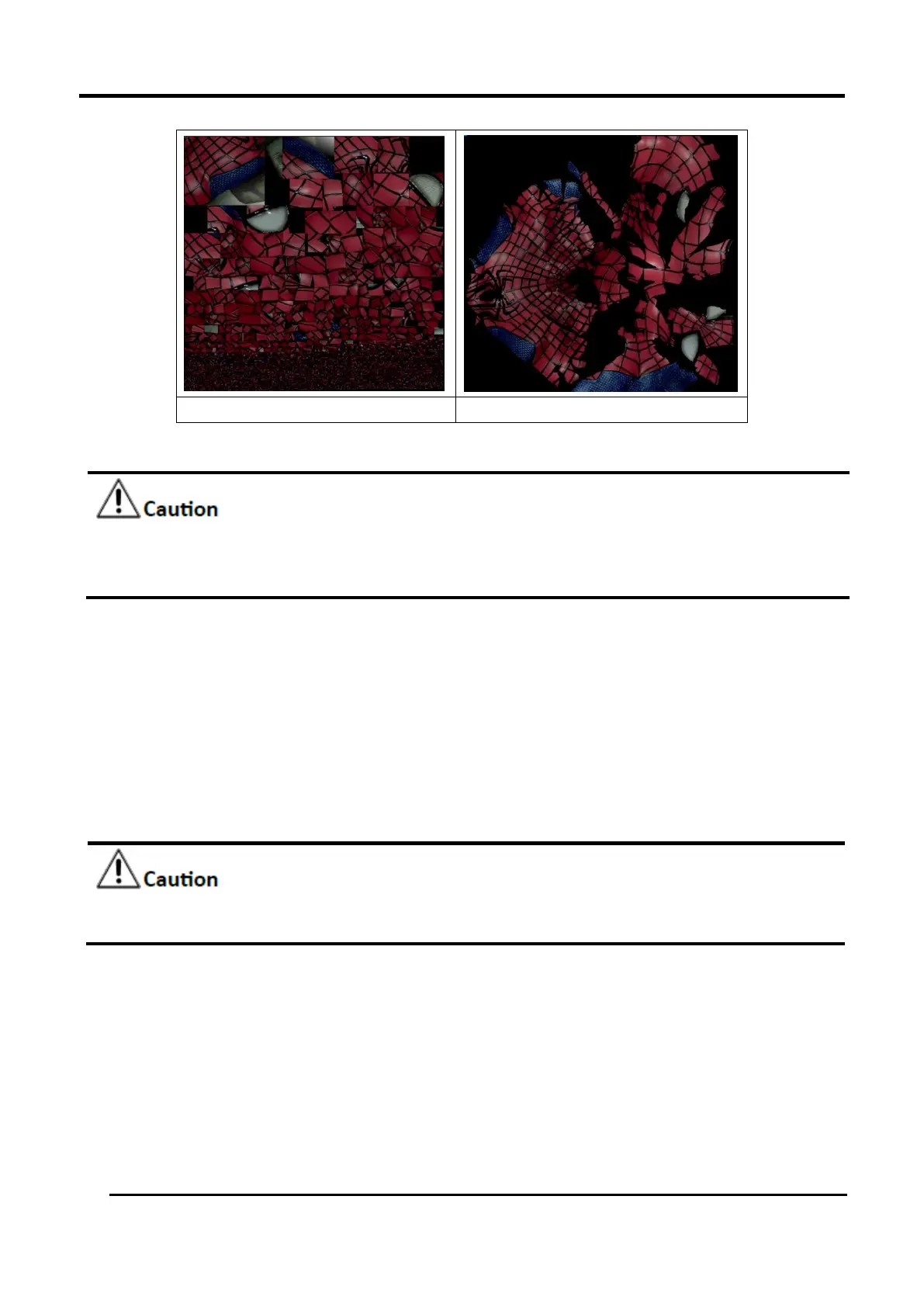
No Texture layout optimization
Texture layout optimization
Figure 3-54 Texture Layout Optimization
TLO requires a longer time to compute.
TLO is used only with OBJ output.
TLO result is more convenient for texture manual editing.
After meshing, the brightness/contrast adjustment can be adjusted under the camera viewport.
-Brightness (-100—100): the larger the value, the brighter the result.
-Contrast (-100—100): The larger the value, the more obvious differences between the colors.
-Reset: After clicking reset, the brightness/contrast are reset to 0.
3.7.7 Flip Normal
To redefine the front direction of the scanned data in reversal design.
After the normal is flipped, the texture remapping cannot be performed. You should complete
the texture remapping before performing the flip normal.
Select the part of the grid that needs to be flipped by clicking Select Through (the mode is enabled by
default).
All the parts are flipped by default.
Select the data area, click Apply to flip the selection area; if you don't select the flip area, all the
parts are flipped by default.
After flipping, undo is not supported.
Click Apply again to perform multiple flips.
Click apply to save the current flip result and close the Flip Normal window.
Click Cancel to reset to the original data.














 To Next Page