1.2 Connect Cables
Connectors
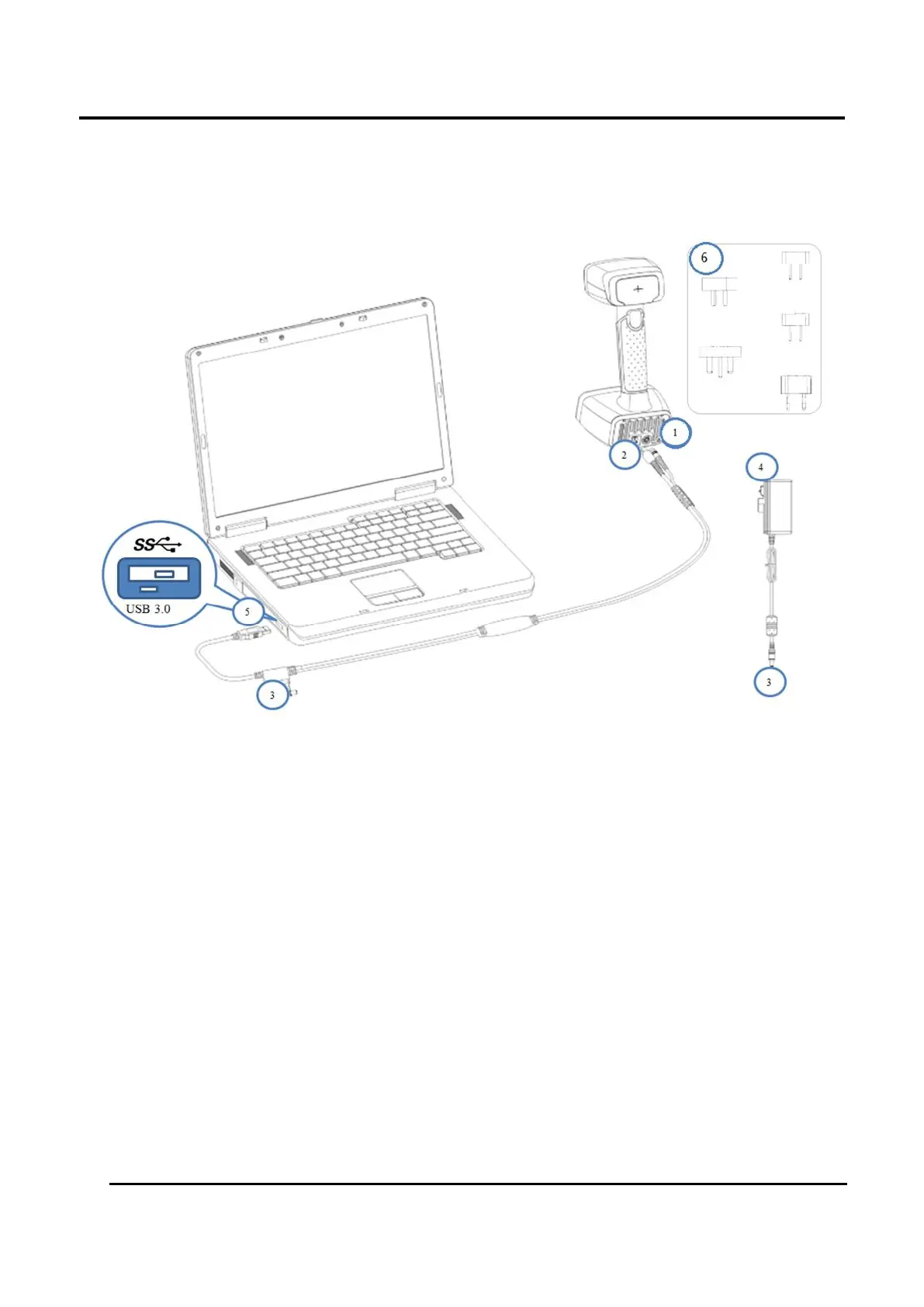
Figure 1-2 Assembly Diagram
① Electrical Plug (scanner)
② Connection Plug (scanner)
③ Electrical Connections
④ Electrical Plug (power adaptor)
⑤ USB Plug (aviation cable)
⑥ Plug Adapters
Steps
1. Connect ① and ② with the scanner.
2. Connect ③.
3. Put ④ into the socket.
4. Connect ⑤ to PC USB 3.0 port.














 To Next Page