ShoreTel IP Phone 655 User Guide
Page 8
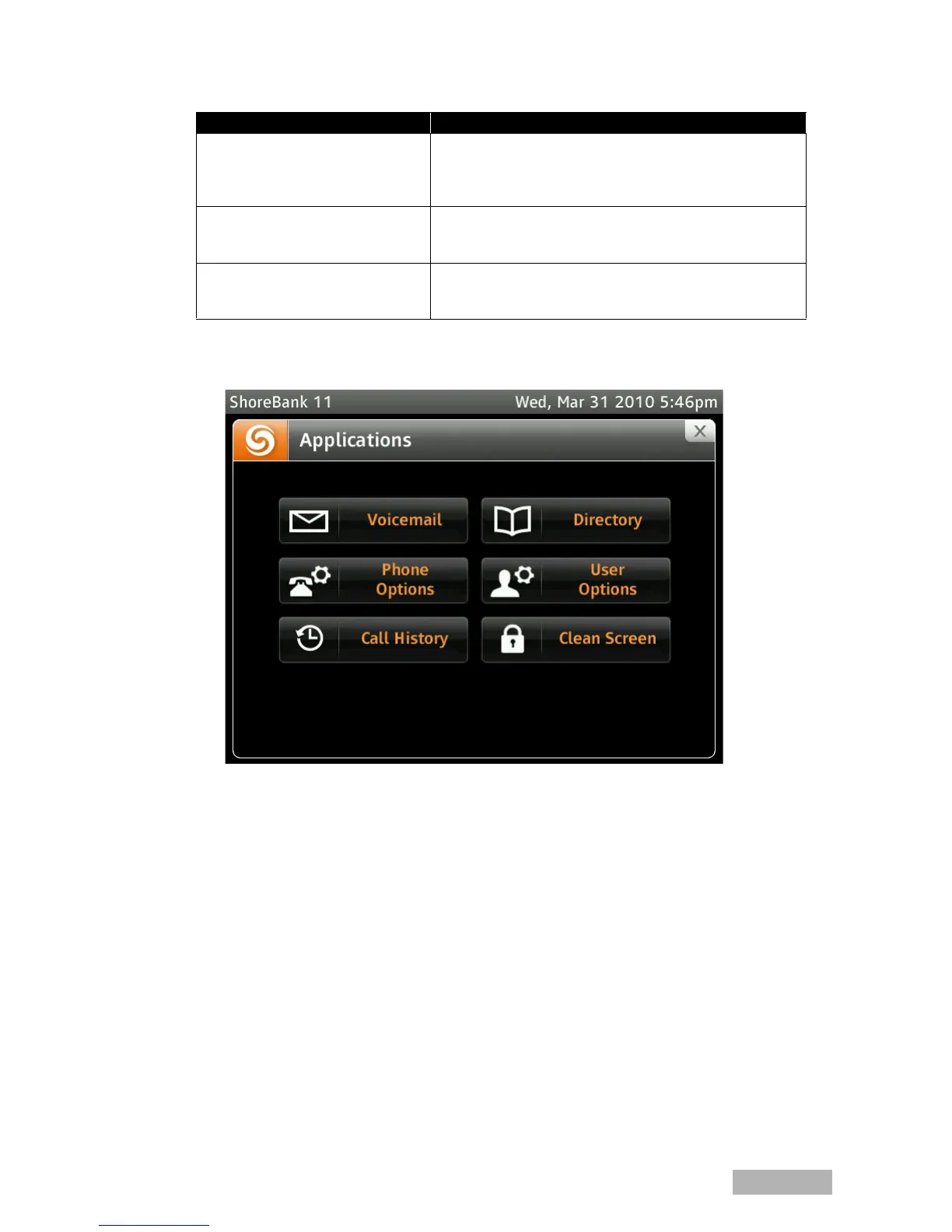
Figure 3SShoreTel IP Phone 655 Applications Gallery
Voicemail Viewer Application
The voicemail viewer application is similar to the ShoreTel Communicator voicemail
application. Users are presented with a list of voicemail messages that can be played from
the Inbox, Saved or Deleted tabs. A progress bar is displayed with controls to Pause, Skip
Forward and Back and Stop messages. The progress pointer may be dragged to a different
point along the slider to skip to the corresponding point in the message.
A voicemail password must be set before voicemail can be accessed. However, once signed
out of voicemail user’s will be prompted to reenter their password the next time voicemail
is launched.
Note: Only individual user voice mailboxes will be accessible. Workgroup mailboxes are
not accessible from this screen.
User Options Click this button to access the available user options.This screen
allows management of Call Handling modes, Off Hook options,
Ring Tones, Wallpaper, Hands Free options and Programmable
Buttons.
Call History Click this button to display the User’s Call History. This screen
displays all Call History activity. There are three tabs: All, To,
From and Missed.
Clean Screen This option allows the user to temporarily lock the screen for
cleaning purposes. If the phone is left in a lock state for 30
minutes, the phone will revert back to an active state.
Application Gallery Application Gallery Descriptions
Table 1-1 SShoreTel 11 Application Gallery



 To Next Page