10
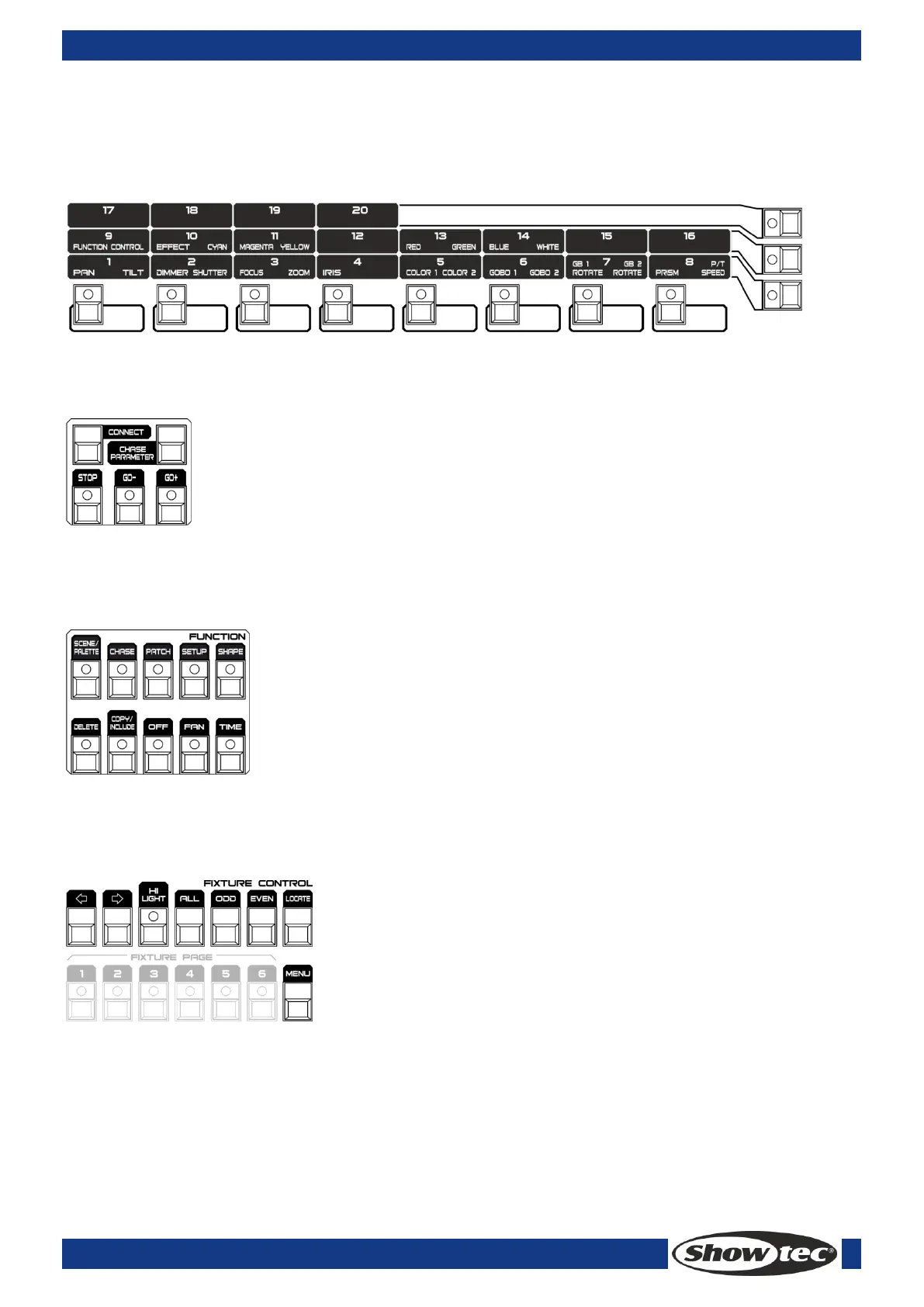
3.4 Attribute area
Including 8 <Attributes> buttons and 3 <Attribute Banks> buttons. Each < Attributes> button carries two
attributes, respectively controlled by <Wheel A> and <Wheel B>. When <Attribute/Dimmer> button is
switched at <Attribute> side, the sliders in the fixture area can be used to control the corresponding
attributes.
3.5 Playback control area
Including 5 playback control buttons: <Connect>, <Stop>, <Go->, <Go+> and <Chase Parameters>.
3.6 Function area
Operations about scene storage and copy or fixture patch can be implemented in this area. The LED
indicators on these buttons are to show the status of the buttons.
3.7 Fixture control area
including buttons of <Previous>, <Next>, <HiLight>, <All>, <Odd>, <Even>, <Locate> and <Menu>, which
are functions to control the fixtures.



 To Next Page