22
11 Personality Builder
Personality Builder is to create and edit fixture library (Personality). The library file must be placed in the
root directory of a USB Memory stick in FAT32 format.
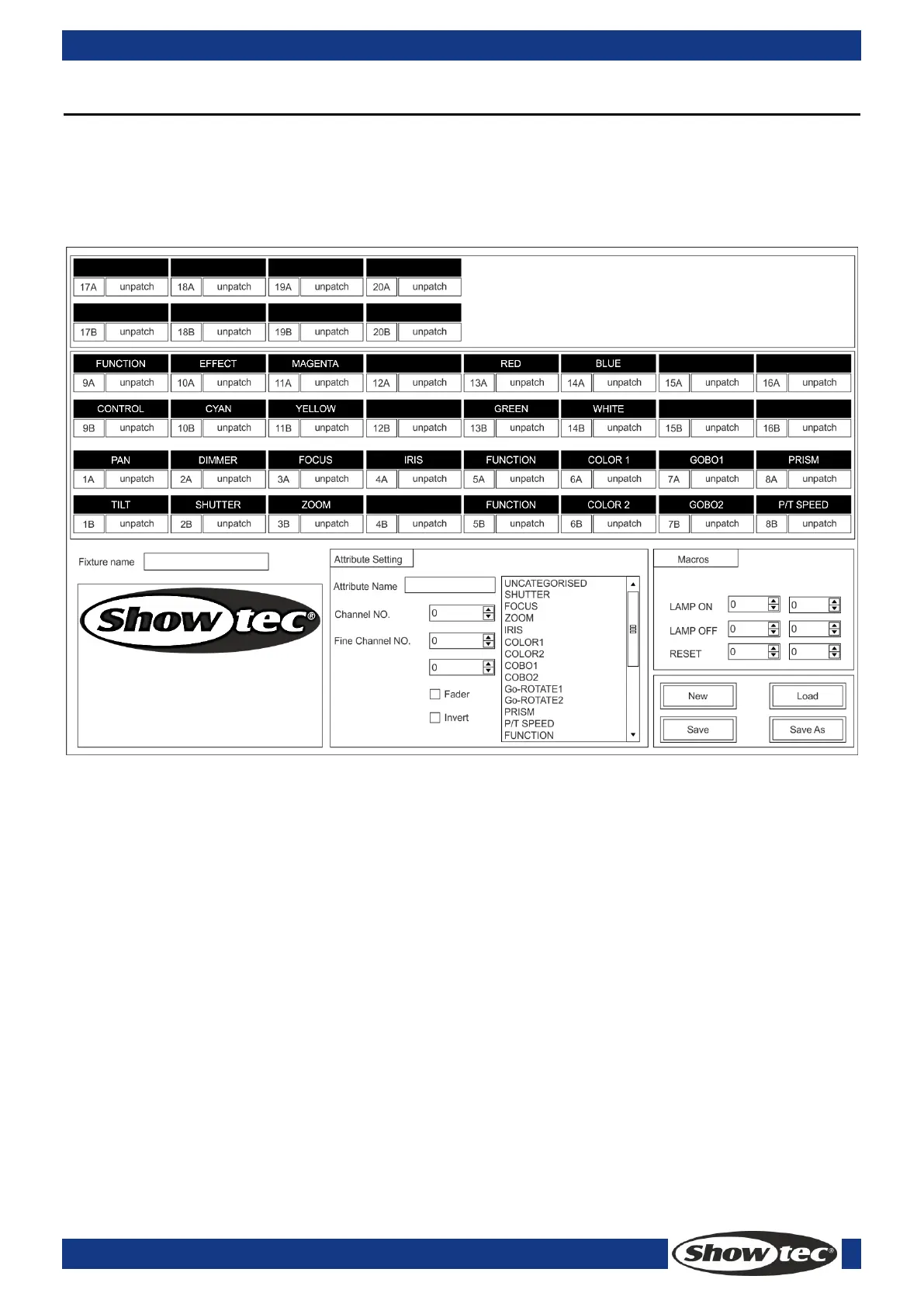
11.1 Interface of Personality Builder
11.2 How to create a new Personality (Library)
1) Select your language.
2) Press [New] to create a new personality or press [load] to load an existing personality.
3) Enter the name of the personality.
4) Select the tags with blue background.
5) Enter the channel value in Attribute Setting column.
6) Select the channel type in the scroll-down menu of Attribute Setting.
7) Change the attribute name as you wish.
8) Enter the fine value in the fine channels, if any.
9) Enter the value for the Locate function.
10) Setup the slope and invert. (Normally, keep it intact.)
11) Repeat Step 4-10 to setup another attribute.
12) Save the personality.



 To Next Page