11
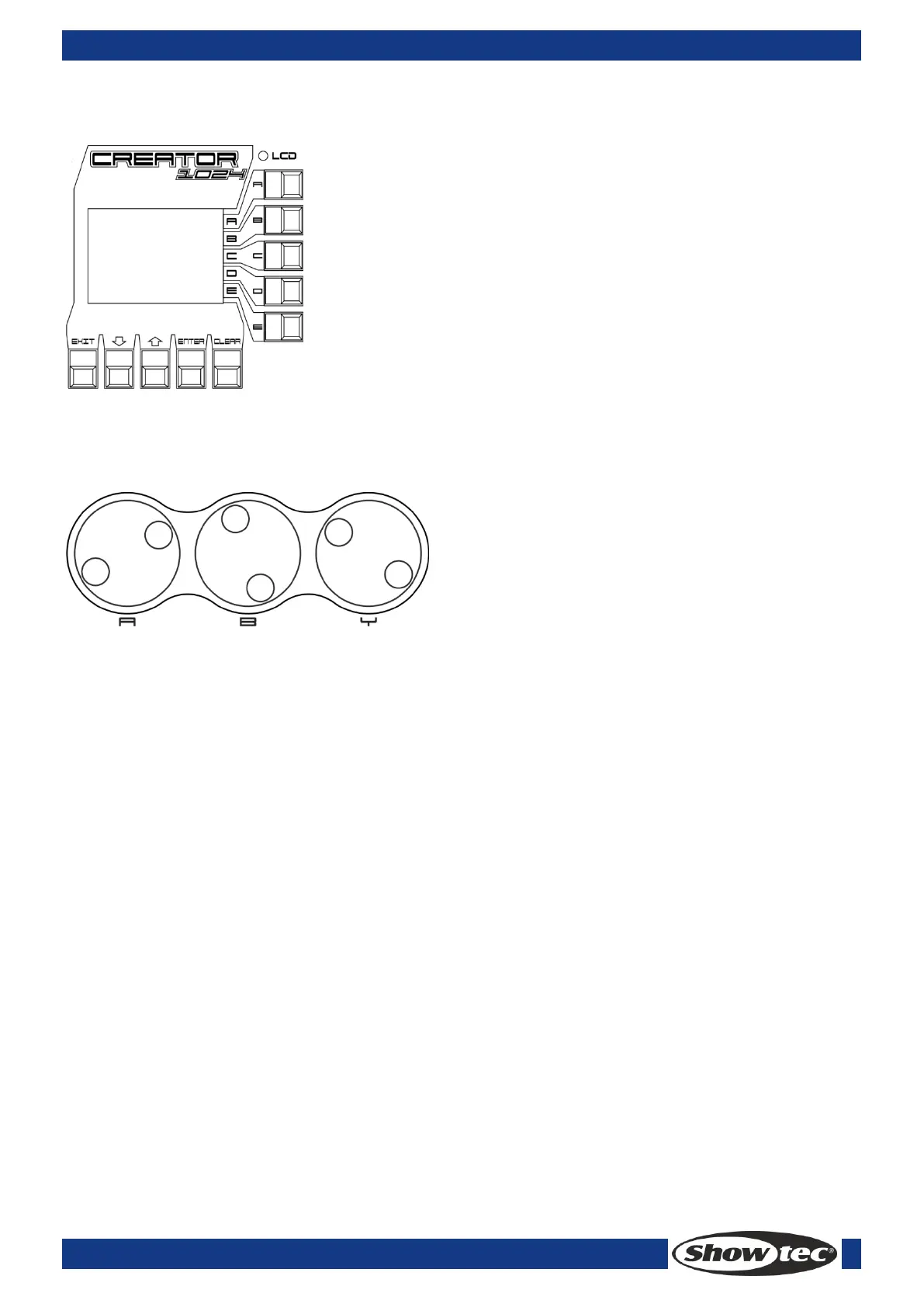
3.8 LCD area
The LCD is to display the menu, implement the menu operations and clear the Programmer.
3.9 Wheel area
<Wheel A> and <Wheel B> are to control the attributes and chase time. <Wheel Value> is to adjust the
value in the display.
3.10 Glossaries
Scene: The data of a stage Scene that are saved in a playback.
Chase: The data of a series of fixture performance that are saved in a playback.
HTP: The type of the channels with the highest output (highest takes precedence), normally for
dimmer channels.
LTP: The type of the channels with the latest output (latest takes precedence), for non-dimmer
channels.
Fade in: The intensity of the light changes from dark to bright.
Fade out: The intensity of the light changes from bright to dark.
Record by fixture: This is the normal mode of the Creator 1024. It means that when you record a cue,
all attributes of every fixture that you have changed are recorded in the cue. So if you change only
the position of a fixture, the color, gobo, intensity and all other attributes of that fixture are recorded
as wall. This is useful because you know that when you recall the cue, it will look exactly as it did
when you saved it. However, it can be slightly inflexible if you want to combine cues.
Record by channel: This means that only attributes you have changed are recorded in the cue. So if
you change the position of a fixture, only the position is recorded. When you recall the cue, the
color, gobo etc will remain as they were last set. This means you can use a cue to change the
position of some fixtures while leaving the color set from a previous cue, allowing more variety when
you are running a show. It is a powerful feature but you can easily get yourself into trouble with it, so
you need to be sure which attributes you need to record and which you want to “show through”.
When you’re learning, it’s best to have some cues “recorded by fixture” which turn on the fixtures in
a known state, then have some color cues to modify just the color, or some gobo cues to set the
gobo, or other attributes.



 To Next Page