DMX Channels
12 Channels
Channel 1 – Horizontal movement (Pan)
Move the slider up, in order to move head horizontally (PAN).
Gradual head adjustment from one end of the slider to the other (0-255, 128-center).
The head can be turned by 540° and stopped at any position you wish.
Channel 2 – Vertical movement (Tilt)
Move the slider up, in order to move head vertically (TILT).
Gradual head adjustment from one end of the slider to the other (0-255, 128-center).
The head can be turned by 270° and stopped at any position you wish.
Channel 3 – Dimmer intensity
Synchronized strobe, from low to high frequency
Fast close/slow open strobe, from low to high frequency
Slow close/fast open strobe, from low to high frequency
Pulse strobe, from low to high frequency
Random strobe effect, from low to high frequency
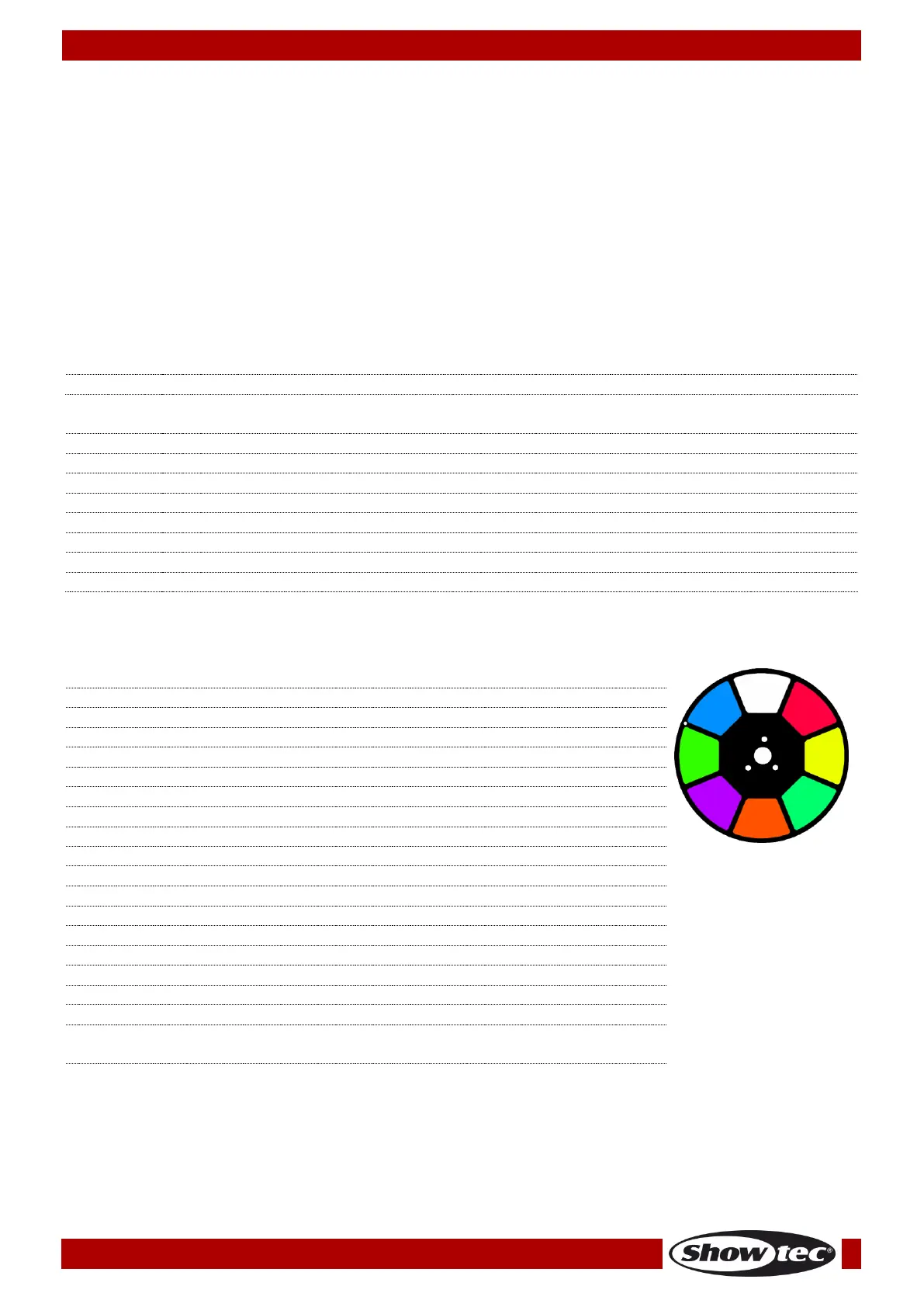
Linear color change following the movement of the slider. Between 190-221 and 224-255, the color
wheel rotates continuously (so-called “Rainbow” effect).
Gradual split color White/Red
Gradual split color Red/Yellow
Gradual split color Yellow/Green
Gradual split color Green/Orange
Gradual split color Orange/Pink
Gradual split color Pink/Light Green
Gradual split color Light Green/Light Blue
Gradual split color Light Blue/White
Clockwise rotation (CW) rainbow effect from fast to slow
Counterclockwise rotation (CCW) rainbow effect from slow to
fast













 To Next Page