84 Chapter 2. Unpacking and First Operation
2.3 Connecting the Titrator - Combination with Accessories and Additional Devices
2.3.1 Back panel of the titrator TitroLine
®
7500 KF
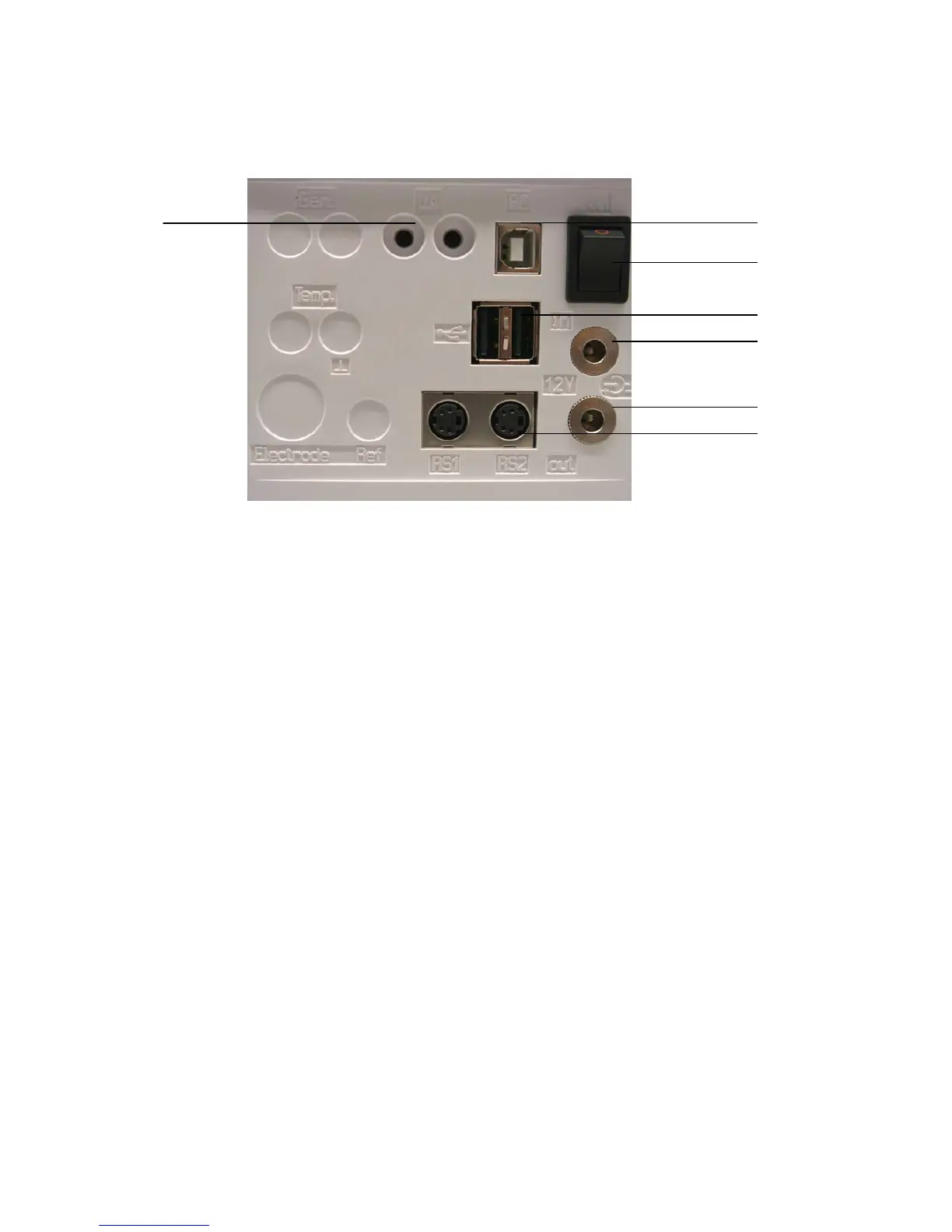
Fig. 8
2.3.2 Connection ports of the TitroLine
®
7500 KF
The TitroLine® 7500 KF is equipped with the following connections:
1) µA measurement input for the connection of double platinum electrodes (KF 1100 or Pt 1200, Pt 1400)
2) USB-B interface for connection to a PC
3) On/Off switch
4) Two USB-A (“Master“) interfaces for connecting USB devices such as a keyboard, printer, manual control
unit, USB memory device etc.
5) ”in“: Connection of the external power pack
6) “out“: Connection of the TM 235 KF titration stand or TM 235 magnetic stirrer
7) Two RS232 ports, 4-channel (Mini-DIN):
RS1 for connection to the PC
RS2 for connection of a weighing balance and other devices from SI Analytics (burettes a.s.o.)
2.3.3 Connecting a printer
Printers with a USB interface are to be connected to one of the two USB-A interfaces. These printers have to
feature HP PCL emulation (3, 3GUI, 3 enhanced, 5, 5e). So-called GDI printers cannot be used!
Alternatively the thermo-compact printer Seiko S445 can be connected.
2.3.4 Connecting a USB device (manual controller, keyboard, memory device, hub)
The following USB devices can be connected to the USB-A interfaces:
• PC-keyboard
• TZ 3880 manual controller (in the following: ”mouse“)
• Printer
• USB storage devices, e.g. USB sticks
• USB hub
• USB barcode scanners



 To Next Page