SP-70 SET-UP ROUTINE (see page 50 for SP-80 set-up routine)
The SP-70 must be OFF before you begin
the Set-up Routine. The first part of this
routine can be done at the dock. If you have
a Fluxgate Compass, you will later repeat the
first part away from the dock.
The SP-70 Autopilot will guide you through
the steps of the Set-up Routine. You cannot
leave the routine without completing it.
Turning off the Autopilot will not cause it to
exit from the Routine.
Error Messages will appear if the SP-70 finds
a fault. Correct the fault before proceeding to
the next step.
An explanation of common Error Messages
that may appear is placed inside a box like
the one below. A full list of Error messages is
at the end of this manual.
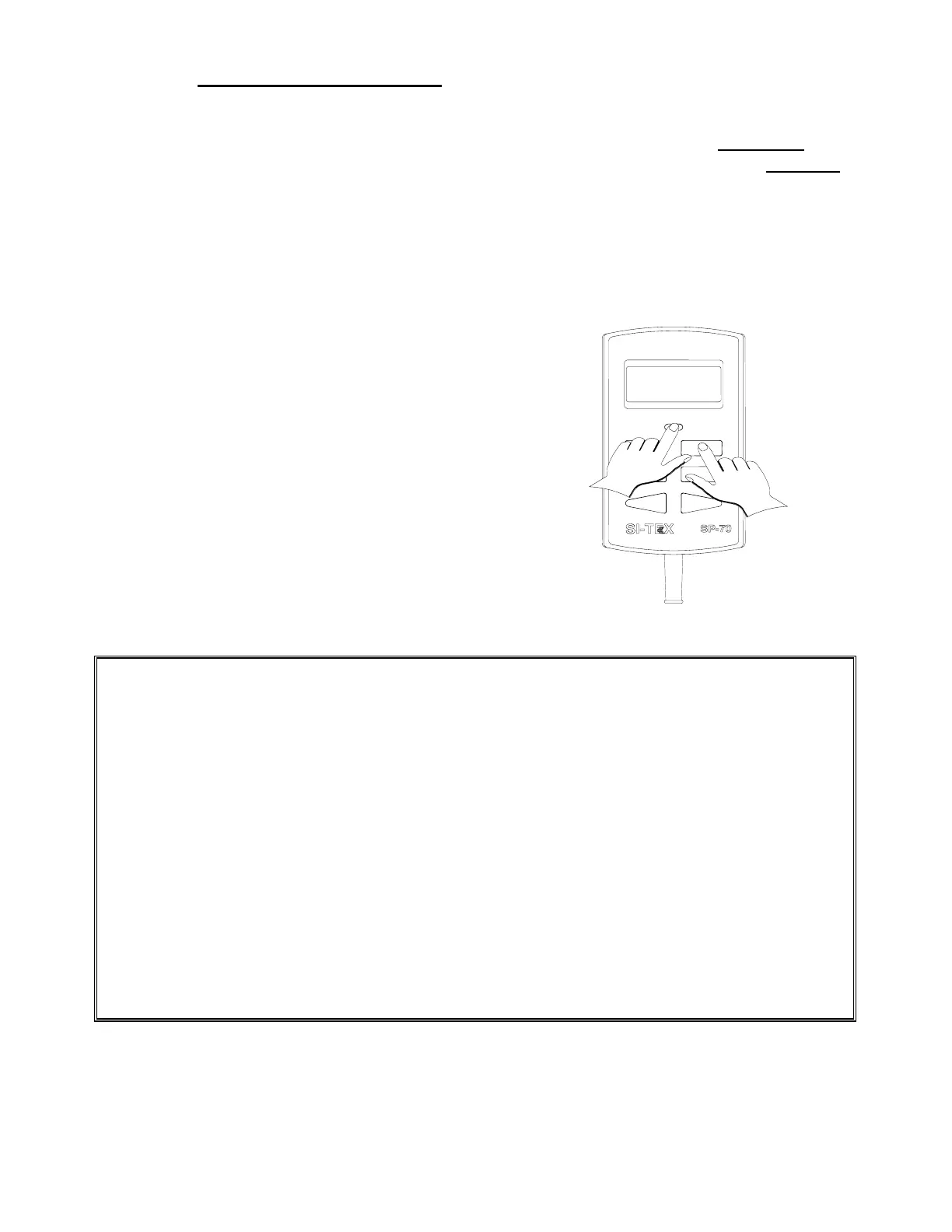
1. Press and hold the Flush Key (see
page 44). Press and hold the Pilot Key
until the display shows [FrST] and then
[HO S] (Hard over to Starboard) Release
both keys.
The error message for steps 2 to 4 is [rEdO] (redo). Press the Pilot Key to cancel the alarm. Then
repeat the step.
If you cannot perform these steps without the alarm sounding, check your Rudder Follower
Installation and your steering system. Ensure that:
• The steering system can move through its full range of motion.
• The steering system has been bled properly.
• The Rudder Follower Linkage is assembled according to instructions.
• The wire connections going from the Rudder Feedback to the Processor are connected to the
correct Processor terminal and terminal numbers.
• The wire connections are mechanically strong and are not becoming intermittent due to loose
connections.
If you have an Outboard Feedback, ensure that:
• The Outboard Feedback travels an equal distance in each direction.


 To Next Page