Power Cable Installation
The Power Cable is labelled with a "5".
Connect the Power Cable to a breaker
capable of supplying twenty Amperes.
CAUTION
Keep the breaker turned off or do not
connect the cable to the breaker.
Use the white wire for battery positive from
the breaker. Use the black wire for battery
negative. The green wire is a grounding wire.
Extending the cable is not recommended. If
you must extend it, see page 23 for
guidelines on proper extension techniques.
Route the supplied Cable to the Processor
location.
Fluxgate Compass Installation
Fluxgate Compass
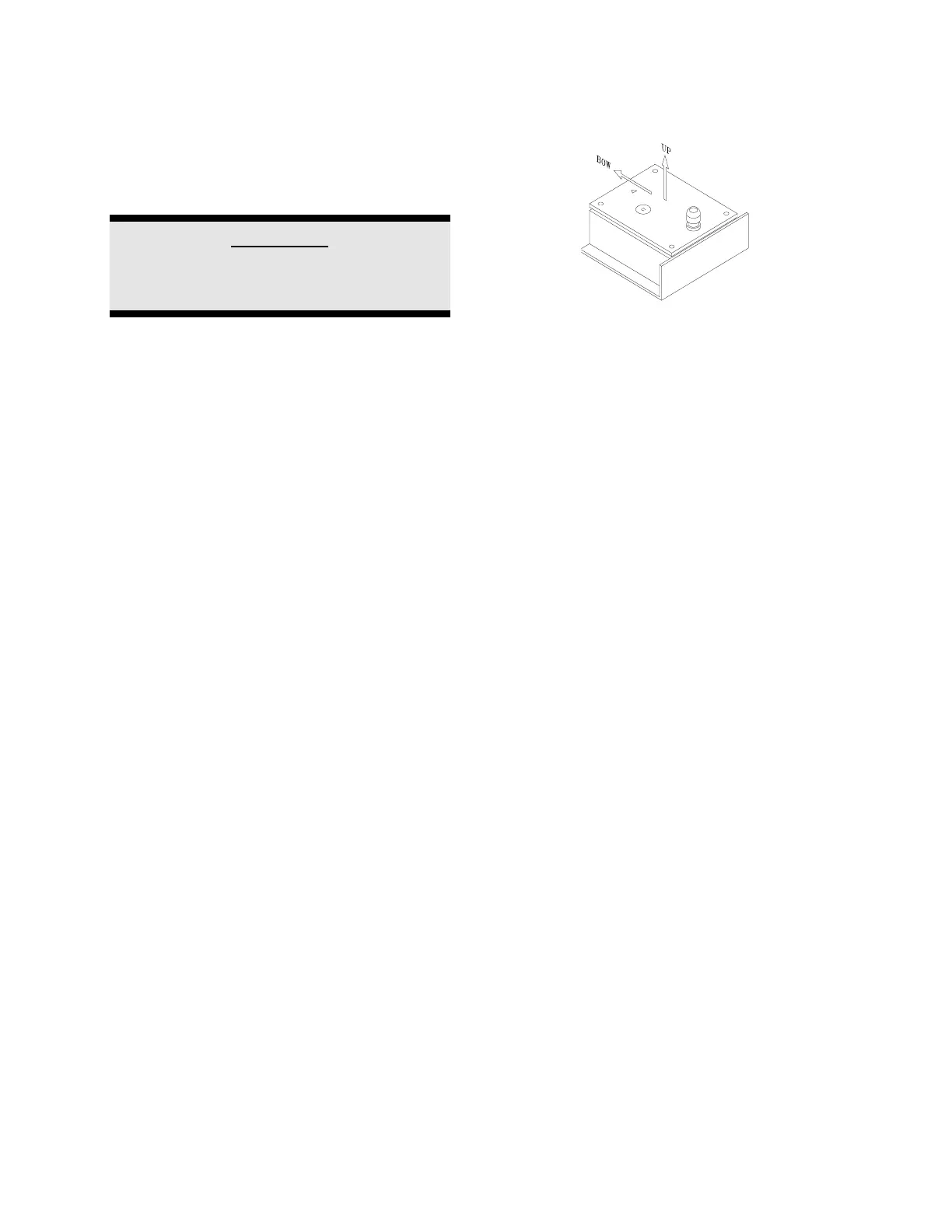
The fluxgate compass must be correctly
positioned or it will not work.
To correctly position the Fluxgate Compass,
mount it so that the surface with the cable
gland is up. On the top surface there is an
arrow labelled "bow". The arrow must point
in the same direction as the bow of your boat.
In cases where the compass is mounted on
a side wall, the bow line arrow may be ± 90
degrees out of alignment. Remove the four
top housing screws and rotate the housing ±
90 degrees. Warning: This unit comes
from the factory watertight. Be careful
with seals and “O” rings if you remove the
housing.
Initially, mount your Fluxgate Compass using
strong adhesive tape or some other
temporary, non-marking fastener. Coil any
excess cable at the Compass location rather
than at the Processor. It may be necessary
to relocate your compass after you have
done the "Set-up Procedure".



 To Next Page