IMPORTANT
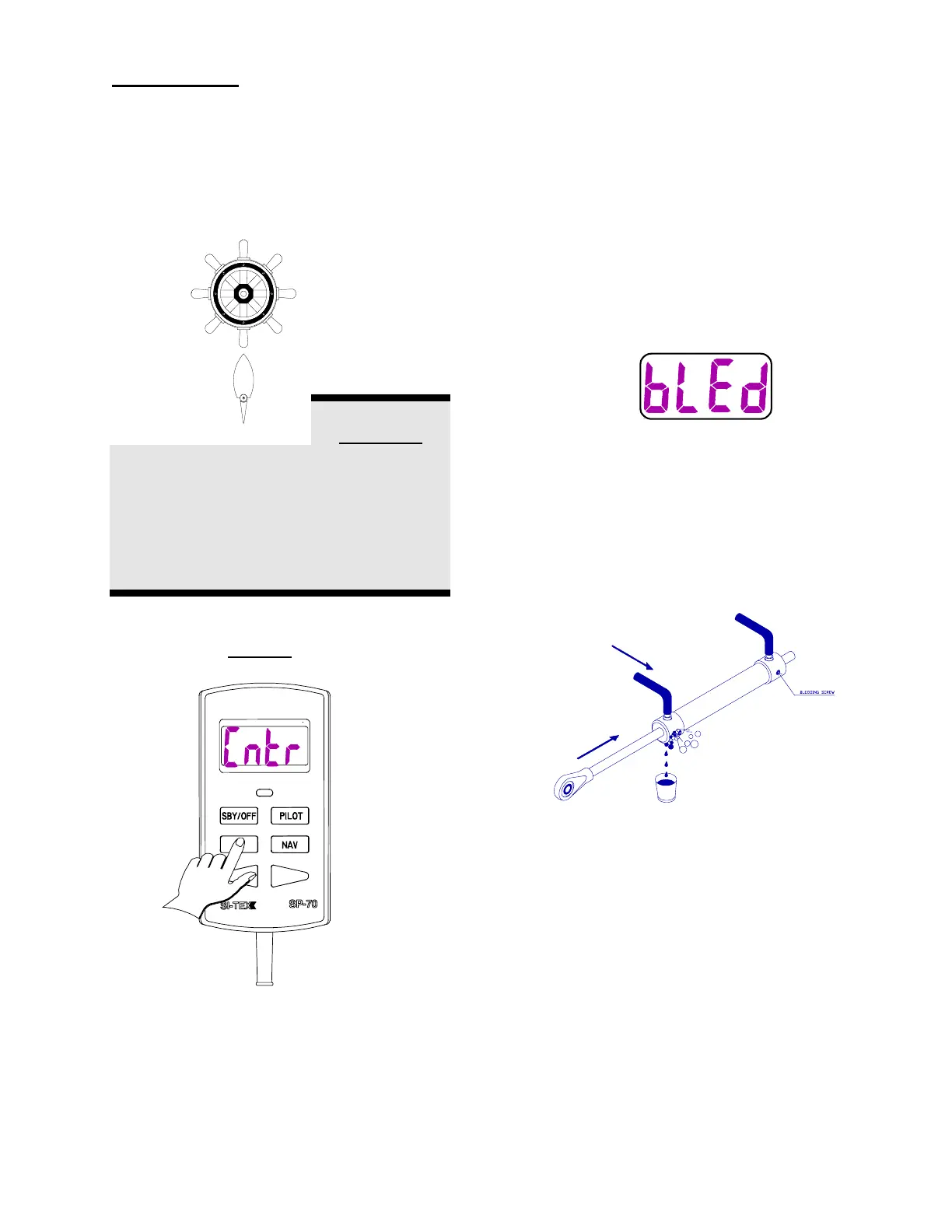
4. Move the steering wheel to the
center position.
CAUTION
In the next step, the SP-70 will move the
steering system through its full range of
motion. Pressing and holding the
SBY/OFF KEY will stop the steering
movement immediately.
5. Press the Set Key.
The steering gear will move from side to side.
As the Autopilot tests the drive system the
display will show [d’tSt]. As the Autopilot
checks the rudder the display will show [r’tSt].
The Output marks at the top of the display
will show the direction of rudder movement.
The display may also show timing marks.
6. The display will now show [bLEd]
(Bleed). You are now in the bleed
mode.
If you have installed a pump or retrofitted to
an existing mechanical or hydraulic drive unit,
you must now bleed and/or time your pump.
Please see the section titled Pump Bleeding
Instructions.
NOTE:
IF YOU DO NOT NEED TO BLEED OR
TIME YOUR SYSTEM, GO TO STEP 7.


 To Next Page