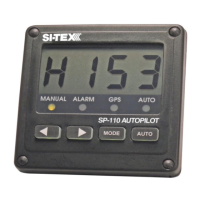
PILOTING WITH THE SP-70 or SP-80 AUTOPILOT
This section will introduce you to your
SI-TEX Autopilot: Learn your Autopilot's
operations step by step, you will find it's one
of the simplest things on your boat.
Steering Control Settings
The SI-TEX Autopilot has a very wide range
of steering control settings. There are:
• Four: Rudder Response settings.
• Ten: Sensitivity steps for each Rudder
Response setting.
Each Rudder Response setting controls the
steering in a very different way. The four
Rudder Response settings are:
• Slow Rudder Response
• Slow Counter-Rudder Response
• Fast Rudder Response
• Fast Counter-Rudder Response
The 10 sensitivity steps are numbered zero to
nine. Zero is an active setting and does not
mean OFF.
In this section, you will learn how to:
• Use your Autopilot to steer a compass
course.
• Select between the “fast” and the “slow”
boat speed Rudder & Counter-Rudder
Response.
• Select the correct sensitivity in each
Rudder & Counter-Rudder Response.
• Use the features of your Autopilot.
After you have learned how to do this,
experiment with your boat to find the
combination of Rudder & Counter-Rudder
Response settings that work the best for you.
Some vessels may not use all of the
Rudder & Counter-Rudder Response
settings.
Turn on the SI-TEX Autopilot by holding
down the Pilot Key for two seconds. The
autopilot will display “SP” first, then software
versions and last, vessel heading followed by
a “P”. You are now piloting with the SP-70 or
SP-80. To get manual command back, press
the Sby/Off Key momentarily.
PILOT MODE
Fast Boat Speed Setting
Some vessels always respond quickly to a
small movement of the steering wheel
regardless of the boat speed. These boats
might get the best steering control by always
using the "fast" boat speed setting. When the
boat speed varies, change the sensitivity of
the "fast" Rudder Response by a few steps.
This might give you better steering
performance than using the "slow" boat
speed Rudder Response setting.
PILOT MODE
Slow Boat Speed Setting
Some vessels always require large amounts
of steering wheel movement to start and stop
a turn. These might get the best steering
performance by using only the "slow" boat
speed Rudder Response setting for all
speeds. When the boat speed varies, change
the Sensitivity of the "slow" Rudder
Response by a few steps. This may be all
that is required.
What is Good Steering Control?
When your SI-TEX Autopilot is working
properly, it will steer your vessel in a straight
line. The boat will not wander back and forth
across the course line nor make any sudden
turns unless you command it (refer to page
67).


 To Next Page