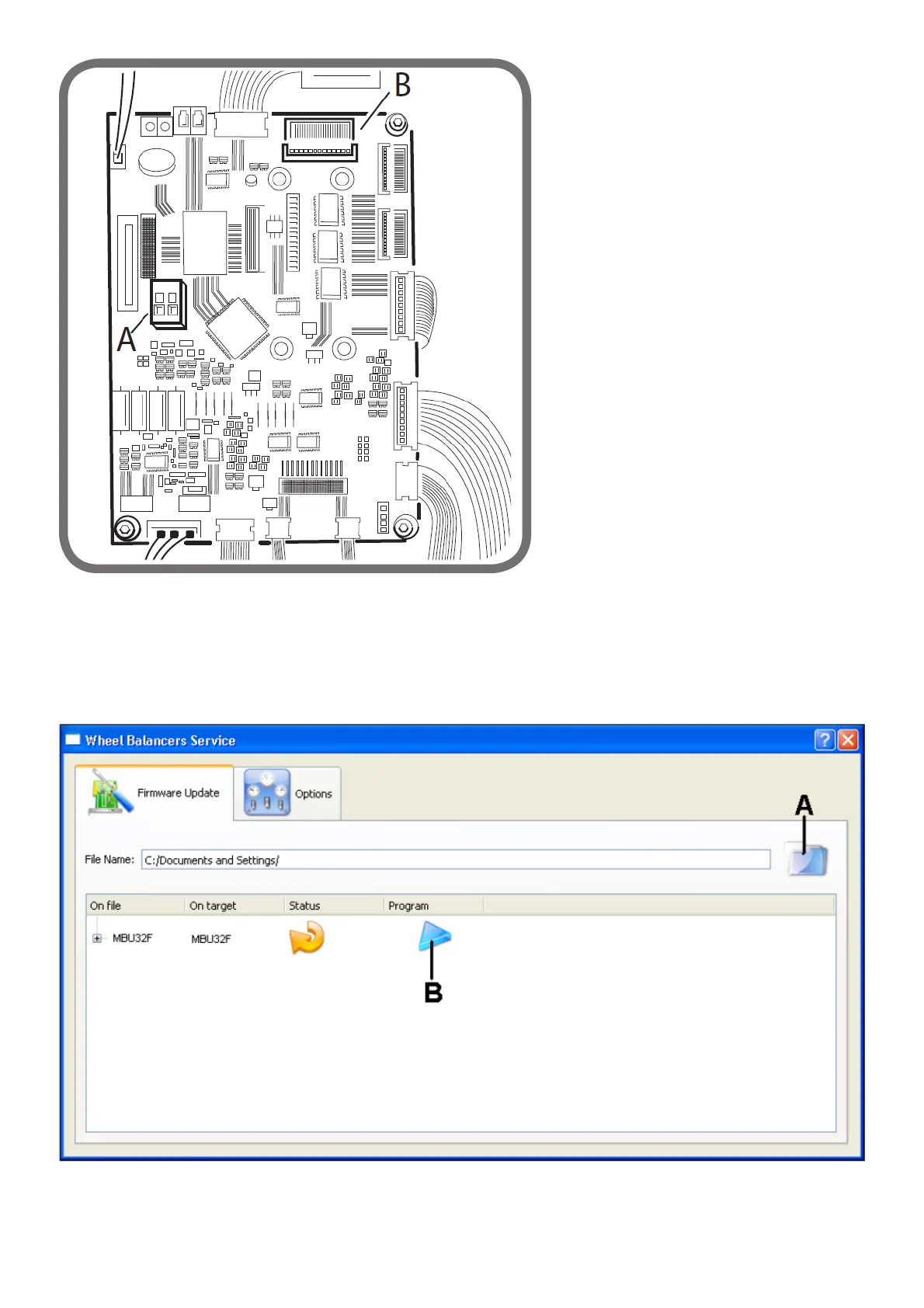
Fig.5A
- Connect the serial cable code 8-21100224 to the “JPS1A” connector of the card itself (see part B figure 5A). The other end of the cable is
connected to the RS232 serial port on the PC. If the PC does not have a RS232 port, use the RS232/USB adapter P/N 8-21100226.
- Turn the wheel balancer on.
- Run the application
wbs
.
- The following control panel for the
wbs.exe
programme will now open.
fig. 5B
- Select the folder icon (A, figure 5B) and load the file with the extension .cef relative to the firmware version for the update downloaded
previously from the web.
- Select the Options tab and the COM serial port where the programming cable is connected to the PC, see figure 5C.



 To Next Page