18. MOUNTING AND DEMOUNTING THE WHEEL GUARD
To assemble and disassemble the wheel guard, refer to the user and maintenance manual.
If there the guard works incorrectly (e.g. when the guard is lowered, the machine does not spin, or vice versa), check:
- the connection of the micro-switch cable and, if necessary, the connection to the MBUGRF board (G, fig.3).
- that the micro-switch is working correctly (13, Fig.3a). If the micro-switch is NOT working correctly, replace with a new component.
Proceed as follows to replace the micro-switch:
- remove the weight tray;
- disconnect the AMP connector from the Mother board
- remove the micro-switch by removing the two fastener screws;
- replace the micro-switch, following the procedure for removal in reverse order to fit the new component.
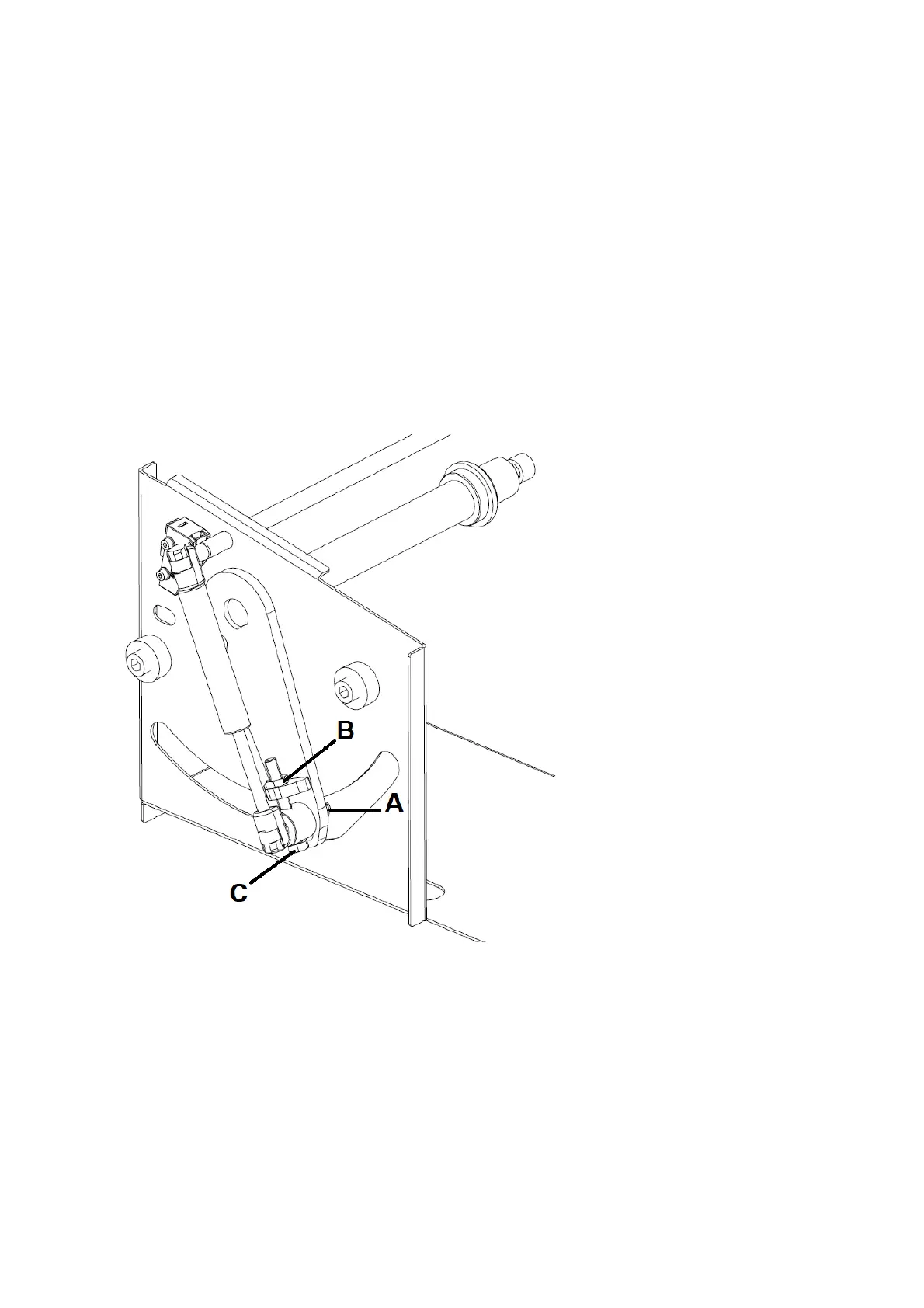
Should it be necessary to replace the gas strut, proceed as follows:
- remove the weight carrier tray;
- loosen the nut A in figure 18;
- remove nut B in figure 18;
- undo the screw (C, Fig.18) to extend the gas strut completely;
- fit the new gas strut, following the procedure for removal in reverse order. Tighten the nut (C, Fig. 18) fully to set the gas strut extension correctly.
Fig. 18
19. KEYBOARD REPLACEMENT
If it is necessary to replace the keyboard, owing to operational irregularities, proceed as follows:
- disassemble the keyboard via the adhesive velcro;
- remove the earth cable on the keyboard;
- remove the picoflex connector from the keyboard;
- replace the keyboard with a new one.
- if the fault persists, check that the keyboard connector ribbon cable is connected and in working order (N, fig.3).
If the following message appears when turning the machine on:
“WARNING HAS THE KEYBOARD BEEN CONNECTED? PRESS ENTER TO CONFIRM OTHERWISE TURN OFF AND CONNECT IT”
check the connection of the keyboard to the main board connector and on the keyboard itself. Then press the ENTER button.
Then the following message will appear:
“SETUP IS CHANGING PLEASE WAIT”
wait until the following message appears:



 To Next Page