MSK GRAPHIC VERSION UPDATE (SD BOARD)
An SD board may be programmed from Windows (Windows XP or Windows Seven 64 bit) using the application “Win32DiskImager-0.9.5-
install.exe” downloadable from the Private Area of the web site.
Install the application “Win32DiskImager-0.9.5-install.exe” on your PC, then create a desktop link.
Now proceed as follows:
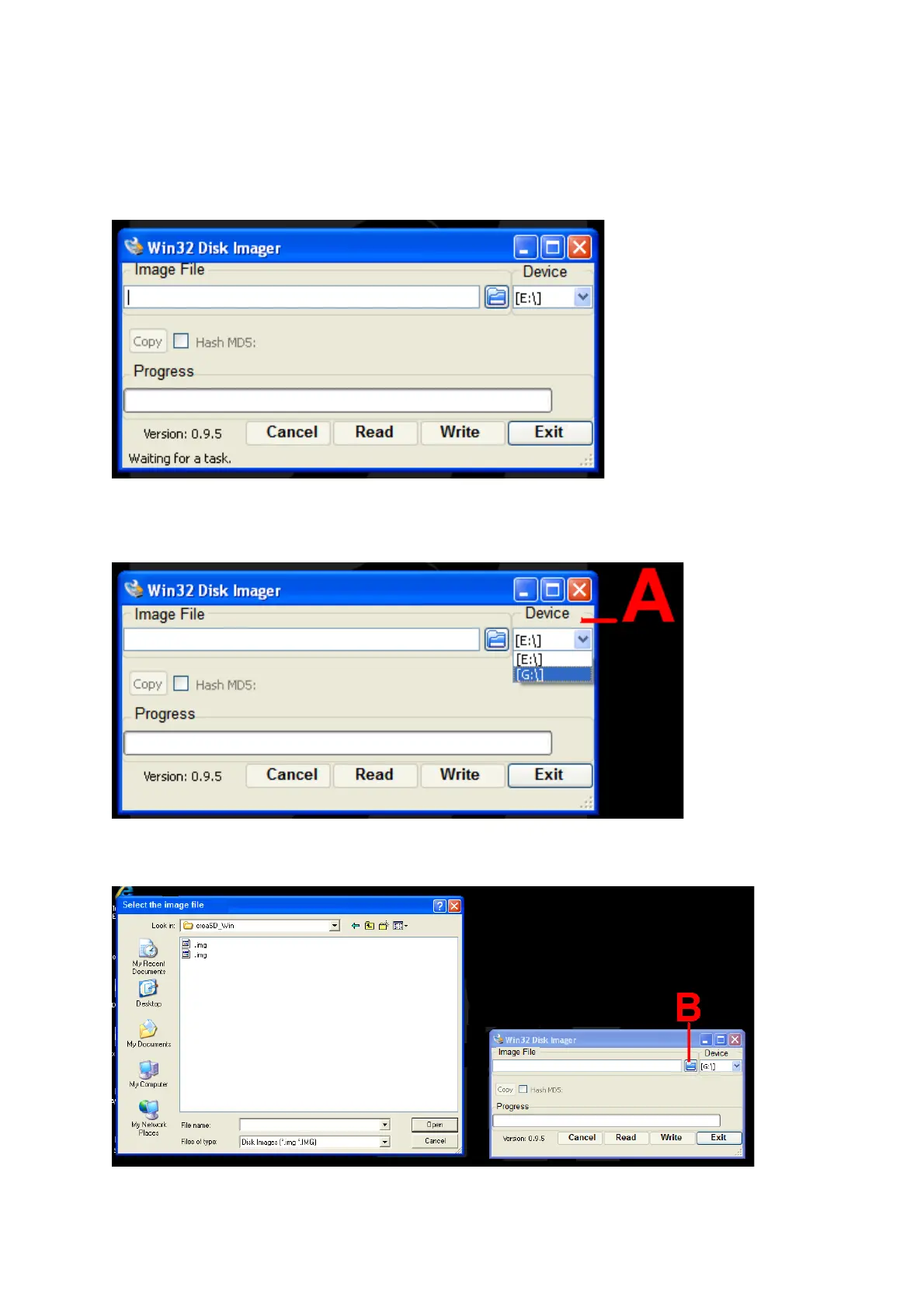
1. Launch the application by double-clicking the link on your desktop.
Fig.5e
2. Select the device (SD), A in figure 5f.
DO NOT select ANY device other than the SD, as the programme performs a complete format!!!
Fig. 5f
3. Select icon B in figure 5g to add the appropriate file with the extension “.img” for the machine version.
Fig. 5g
4. After adding the required file, click the button “Write” (C, Fig.5h).
Click “Yes” to confirm the write procedure.



 To Next Page