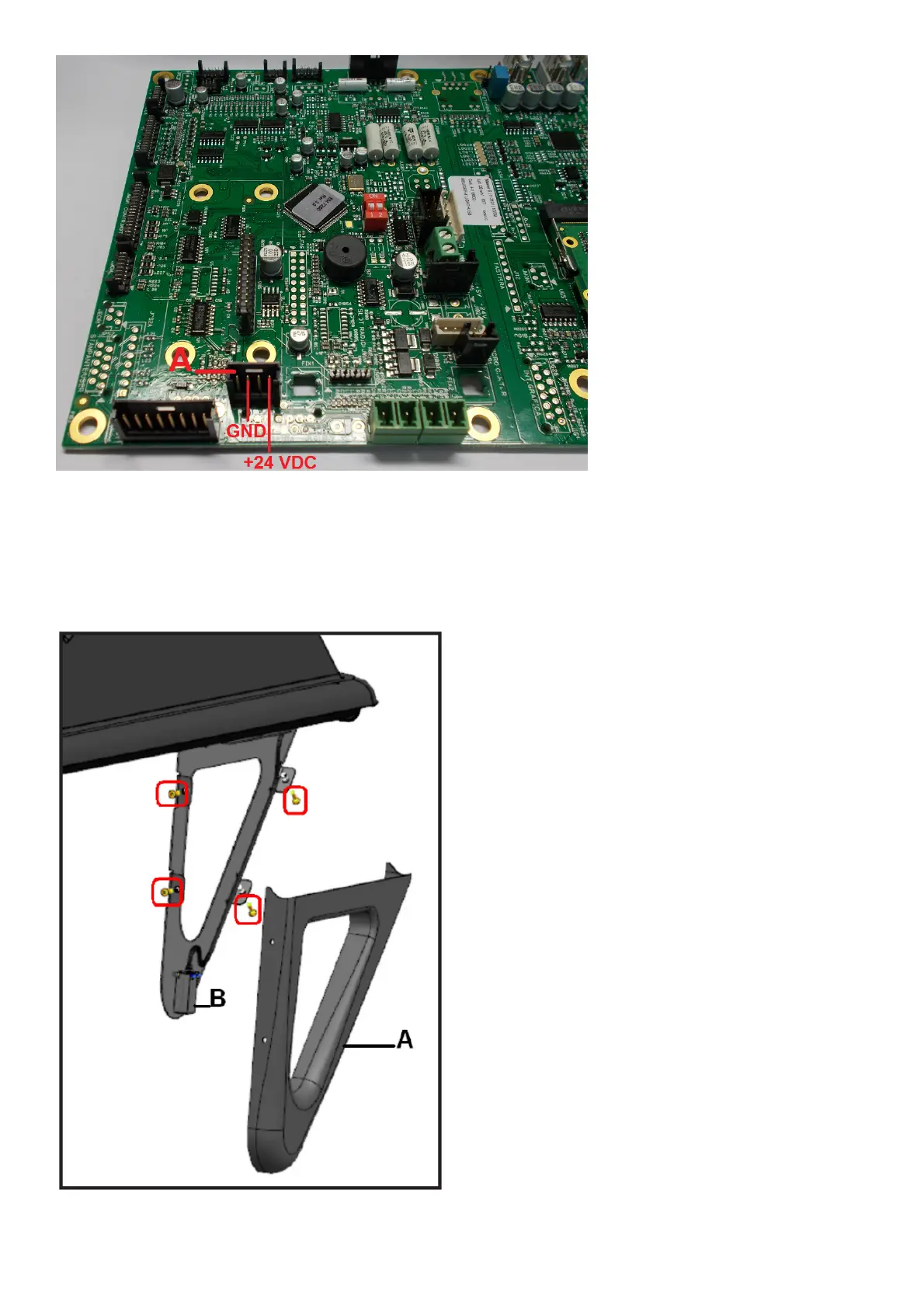
Fig. 8a
If the values are not correct, repeat sensor calibration as described in the user and maintenance manual.
If the sensor needs to be replaced, proceed as follows:
- Remove the plastic cover (A, Fig. 8b), undoing the four fastener screws, see figure 8b.
- Remove the ultrasonic sensor (B, Fig. 8b), undoing the two screws fastening it to the metal mount, then undo the ring nut of the
connector connected to the sensor.
- Fit the new sensor, reversing the order of the operations used for removal.
Fig.8b



 To Next Page