Function Description
Auto focus the device adjusts to the working distance and stores this permanently.
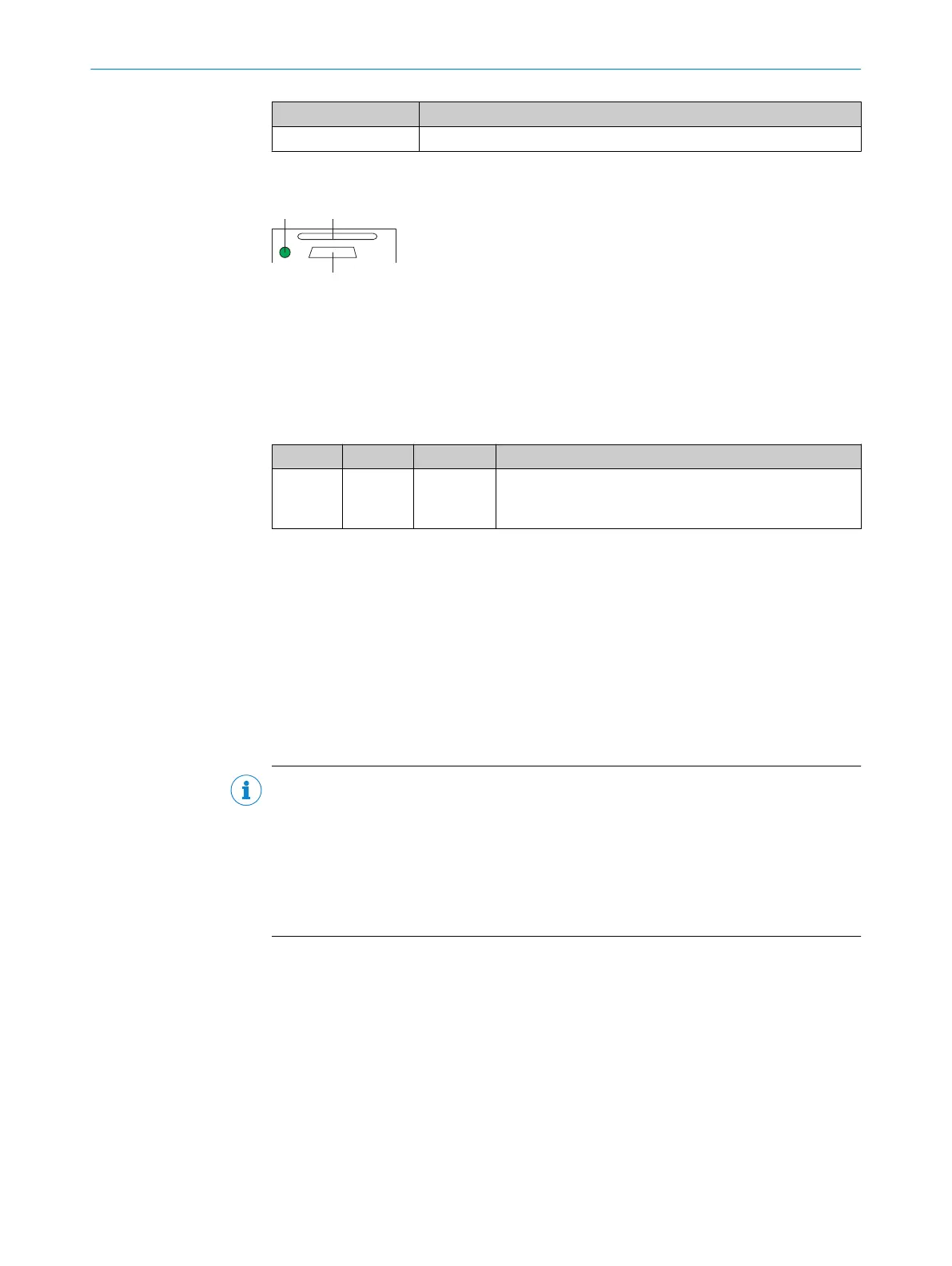
Status display of the microSD memory card
Figure 4: Display under cover (flap) on rear of device
á
USB interface
â
Slot for microSD memory card
ã
Display for microSD memory card
Table 6: status display of the microSD memory card
Display LED Color Status
MicroSD Lights up Green The device writes data to the correctly installed memory
card.
Read access to the card is not signaled.
3.3.3 Acoustic status indicator
The beeper (buzzer) is located under the cover on the top of the device, see "Device
view", page 14. The beeper can be switched off.
In read mode, the beeper indicates a selectable event with a signal tone (default: event
= Good Read).
3.3.4 Memory card
The device has a card slot integrated in the housing. The card slot accommodates a
memory card in microSD format.
NOTE
The memory card is optional and is not included with the device scope of delivery. The
device supports memory cards up to max 32 GB.
Only use types (industrial standard) approved by SICK to ensure reliable function of the
memory card. You can find these as accessories online at:
•
www.sick.com/GLS6
The memory card has no write protection that can be activated.
Functions
An inserted memory card serves as a local external memory medium for the device out‐
side the internal device memory, see "Initial commissioning", page 38.
The device can execute the following functions using the memory card:
3 PRODUCT DESCRIPTION
16
O P E R A T I N G I N S T R U C T I O N S | GLS6 8024289//2019-08-15 | SICK
Subject to change without notice


 To Next Page