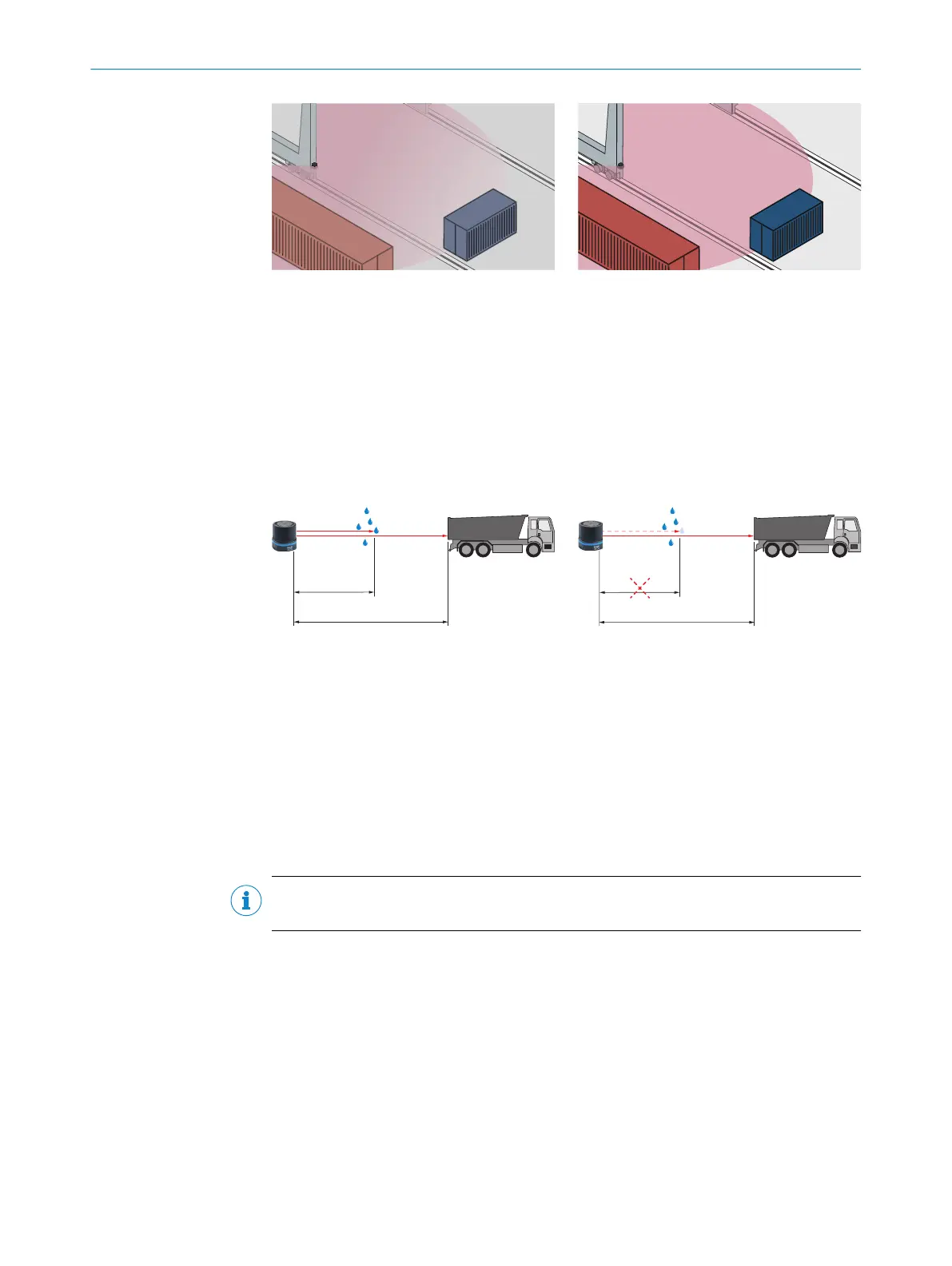
Figure 13: Without the fog filter: objects are
difficult to detect through the fog due to reflec‐
tions.
Figure 14: Using the fog filter: objects can be
detected reliably because unwanted echoes
are screened out.
3.4.7.2 Echo filter
The echo filter screens out unwanted measurement data and signals caused by edge
hits, rain, dust, snow and other ambient conditions.
You can set whether the first, the last, or all three echoes are output.
The other pulses triggered by undesirable ambient conditions are not taken into
account.
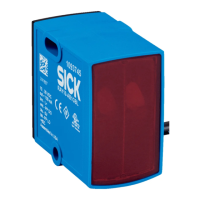
Figure 15: Without the echo filter: The device
receives unwanted echoes from ambient con‐
ditions such as rain.
Figure 16: Using the echo filter (setting: last
echo): the device screens out unwanted ech‐
oes from ambient conditions as per the set‐
tings chosen.
3.4.7.3 Particle filter
The particle filter blanks small, irrelevant reflection pulses in dusty environments and in
rain or snow which are caused by dust particles, raindrops, snowflakes or the like.
In doing so, successive scans are continuously evaluated in order to detect static
objects. If the distance between a measured value and its temporal spatial neighbors is
greater than a defined threshold value, this measured value is discarded as faulty.
NOTE
If the particle filter is activated, measurement data output is delayed by one scan.
3 PRODUCT DESCRIPTION
22
O P E R A T I N G I N S T R U C T I O N S | multiScan136 8027119/0000/2022-11 | SICK
Subject to change without notice


 To Next Page