Operating Instructions Chapter 5
UE402
8009874/YT67/2016-02-22 © SICK AG • Industrial Safety Systems • Germany • All rights reserved 25
Subject to change without notice
Electrical installation
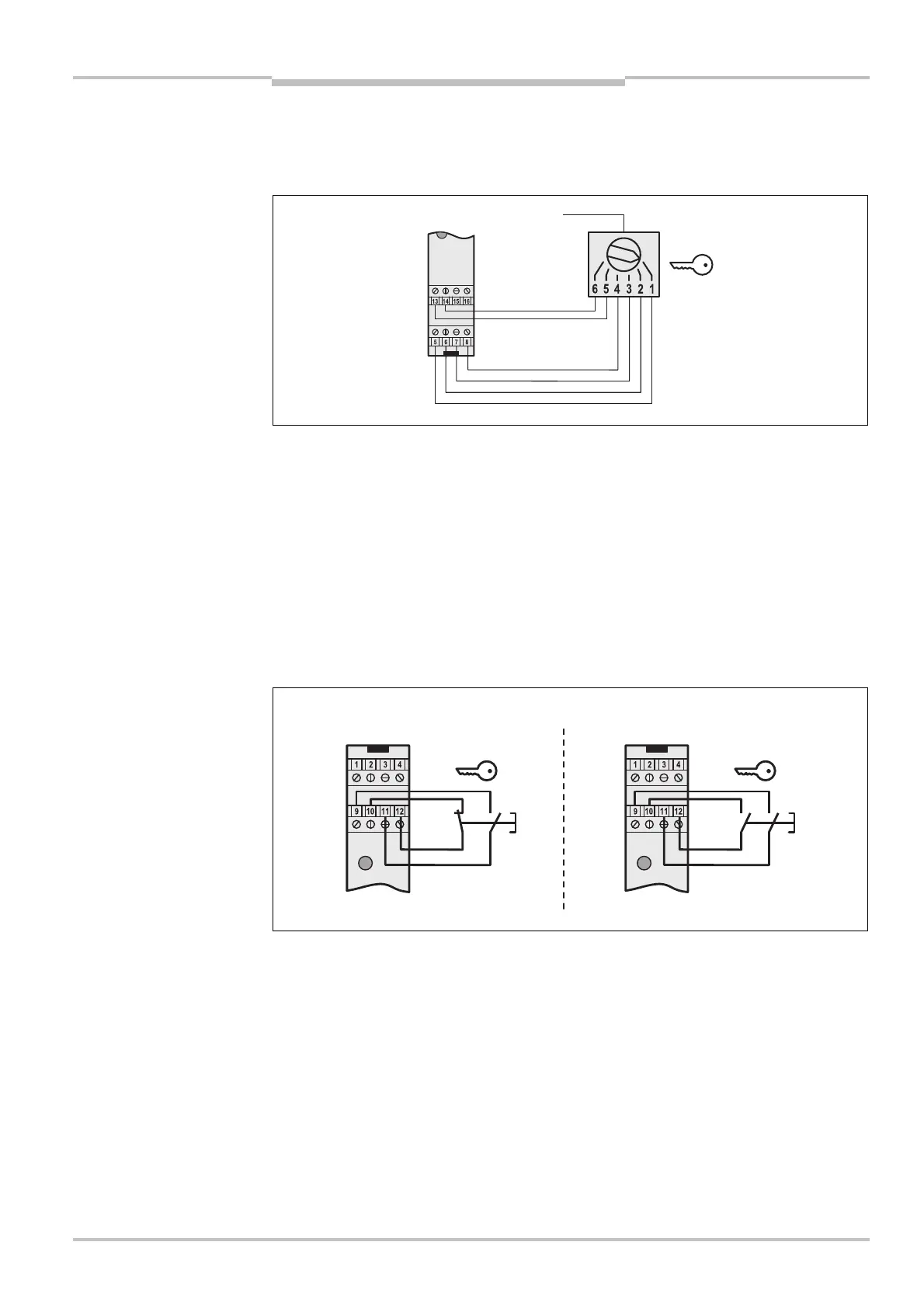
5.2 Operating mode selector switch
T
he UE402 has connections for an operating mode selector switch with up to 6 switch
settings.
If the safety light curtain can be selected on the machine side, this must also be
selected via the operating mode selector switch.
The operating mode selector switch must be a key-operated switch or a similar device.
Use an operating mode selector switch, that has only the same number of switch settings
that you actually need. This will help you to reduce the likelihood of operating errors.
5.3 Key-operated pushbutton for bypass
The bypass function may only be activated by a key-operated switch with an automatic
reset and two levels or by two input signals that are independent of each other, e.g. two
positioning switches.
Mount the key-operated pushbutton for bypass in such a way that the hazardous point
is completely visible when the key-operated switch is used.
The key-operated pushbutton for bypass must have potential-free contacts.
When you connect the key-operated pushbutton for bypass to the UE402, you can only
connect a teach-in key-operated switch directly to the C4000.
You must configure the switching mode of the key-operated pushbutton for bypass to
comply with the selected switch type (N/C, N/O or N/O, N/O) with the aid of the CDS:
Device symbol C4000 Host (receiver), context menu Configuration draft, Edit,
selection System, file card General, option Key-operated pushbutton for bypass.
operating mode selector
switch on the UE402
Notes
Recommendation
connections for the key-
operated pushbutton for
bypass on the UE402
Notes


 To Next Page