Chapter 5 Operating Instructions
UE402
26 © SICK AG • Industrial Safety Systems • Germany • All rights reserved 8009874/YT67/2016-02-22
Subject to change without notice
Electrical installation
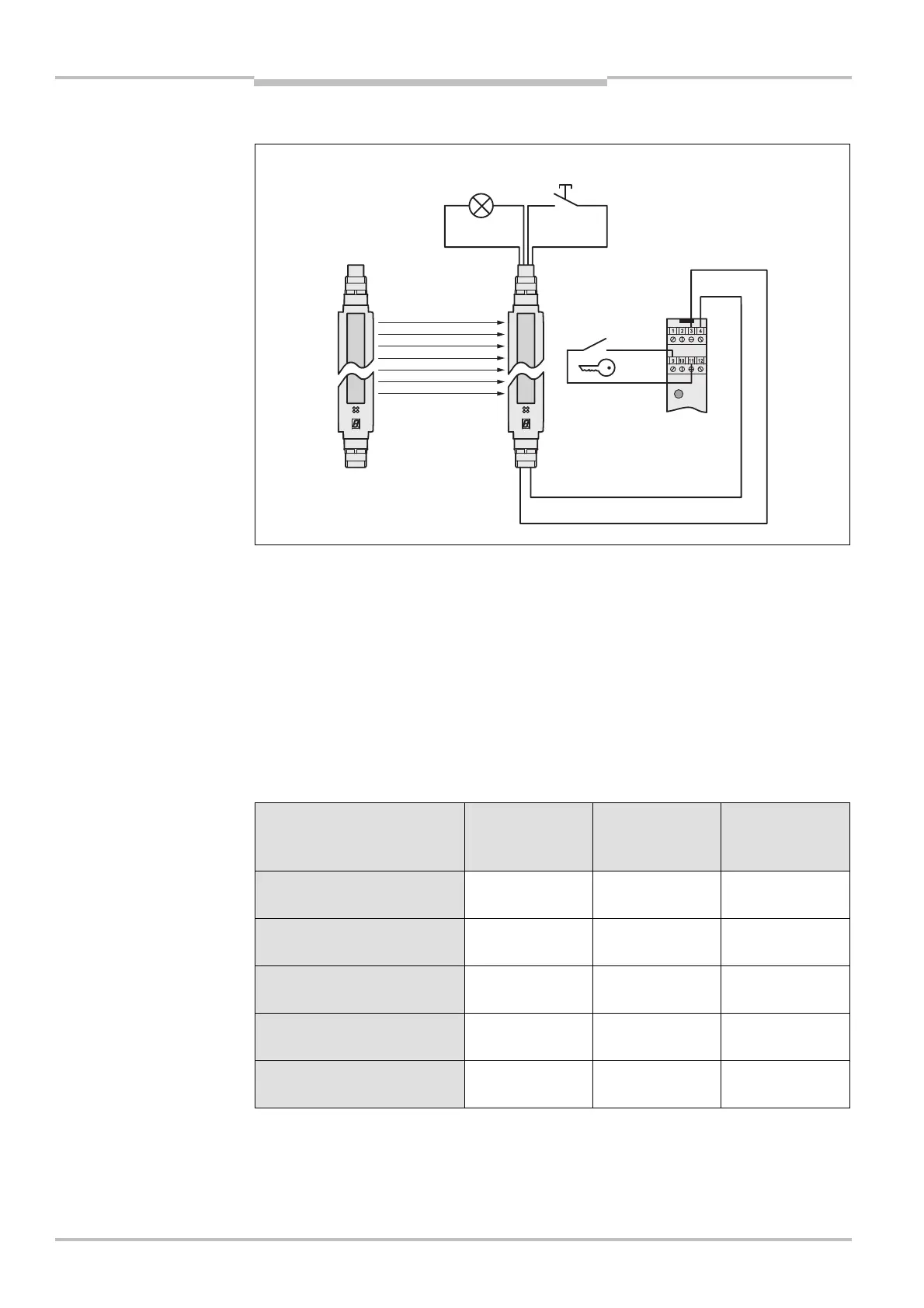
5.4 Teach-in key-operated switch
You can decide to connect the teach-in key-operated switch to the C4000 or to the UE402.
If you connect the teach-in key-operated switch to the UE402, you cannot connect a key-
operated pushbutton for bypass, and the bypass function can therefore no longer be used.
5.5 Machine-cycle contacts
For PSDI mode, the machine cycle contact of the machine must be connected to the
UE402. Depending on the PSDI mode, the UE402 can evaluate various contacts, some are
mandatory (Tab. 6).
The signals of the machine cycle contact MCC>BDC and MCC>TDC are allowed to briefly
overlap each other. MCC>BDC must always fall away before MCC>TDC.
Configured function Top dead centre
(MCCDTDC)
contact
Bottom dead
centre (MCCDBDC)
contact
Run-on monitoring
(SCC) contact
PSDI mode with restart
interlock
(optional)
(optional)
PSDI mode without restart
interlock
(optional)
(optional)
PSDI mode Alternative
(“Sweden Mode”)
(optional)
(optional)
Eccentric press mode
(optional)
Run-on monitoring
(optional)
teach,in key-operated switch
to the UE402
Note
cycle contact
key,operated
switch


 To Next Page