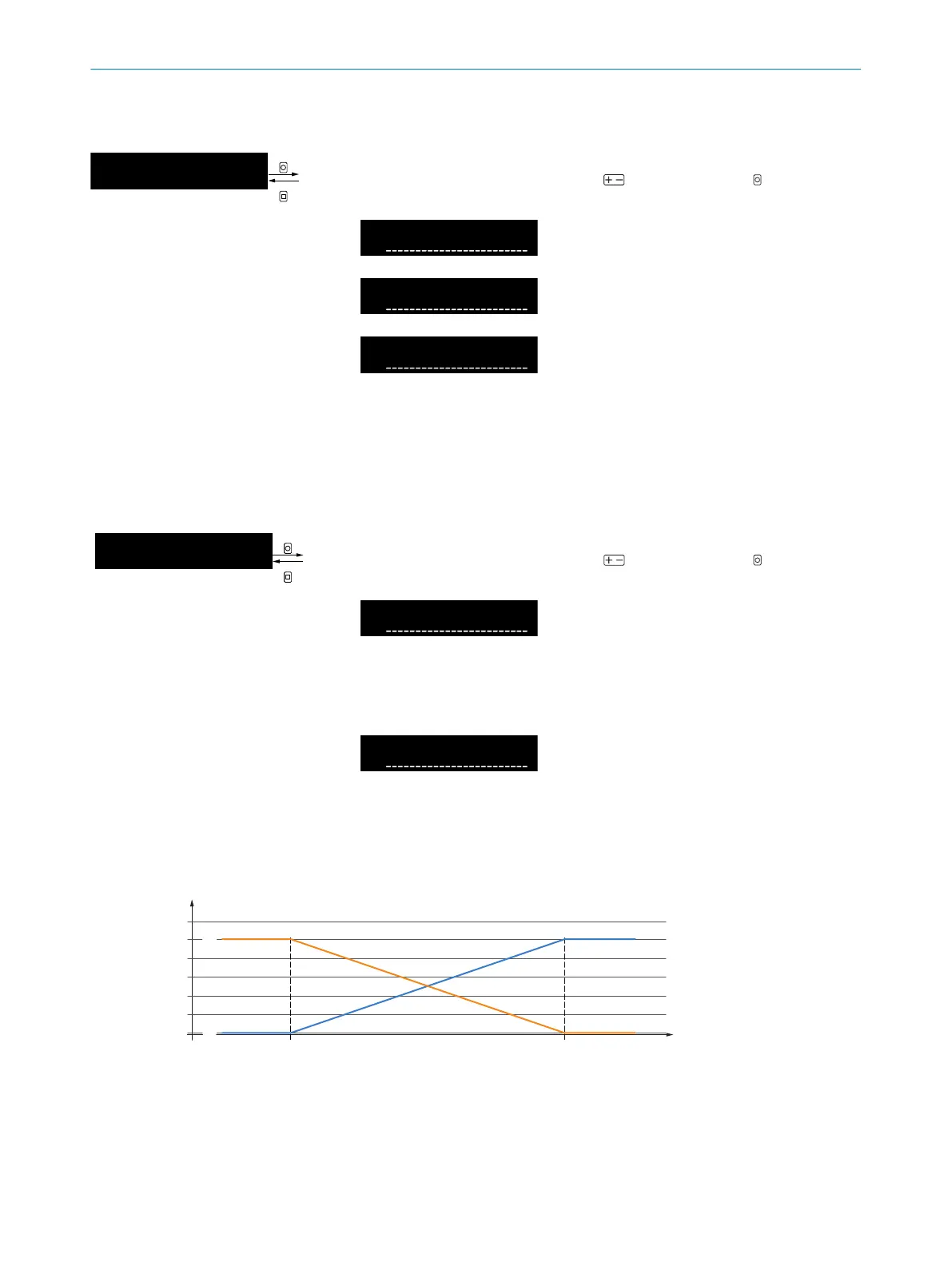
8.10.1.4 Hold output
Table 60: Hold output
Output hold
--------------------------------------------
1
A
|
N4
OK
ESC
Extreme value memory
Select extreme value memory using and confirm using OK. After
confirmation, the display returns to the higher-level menu.
Switching off
Extreme value memory not
active.
Maximum value
Maximum value is applied to the
output.
Minimum value
Minimum value is applied to the
output.
The values continue to be applied to the output until the maximum or
minimum is exceeded or undershot or the value is reset (via external input
or on the device).
8.10.1.5 Invert signal
Table 61: Invert signal
Invert span
--------------------------------------------
1
A
|
N5
OK
ESC
Inversion analog signal
Select inversion analog signal using and confirm using OK. After
confirmation, the display returns to the higher-level menu.
Not inverted
Analog signal is applied as
a rising curve as per the
settings (lower threshold corre‐
sponds to 4mA/0V/1V;
upper threshold corresponds to
20mA/10V/5V).
Inverted
Analog signal is inverted and
is applied as a falling curve
(lower threshold corresponds
to 20mA/10V/5V;
upper threshold corresponds to
4mA/0V/1V).
5
6 7
3
4
1
2
20 mA / 10 V / 5V
(mA / V)
4 mA / 0 V / 1 V
Figure 17: Inversion analog signal
1
Analog signal
2
Current received level (live)
3
Inverted
4
Not inverted
OPERATION 8
8027947 /2022-12-14 | SICK O P E R A T I N G I N S T R U C T I O N S | WLL80 Analog
49
Subject to change without notice









 To Next Page