1234
OK
1
A
|
1111
0
-----------------------------------------
Adaption with
After confirmation (or 30seconds without button operation), the display
returns to run mode.
8.12.3 Set switching logic (binary switching channel Q1)
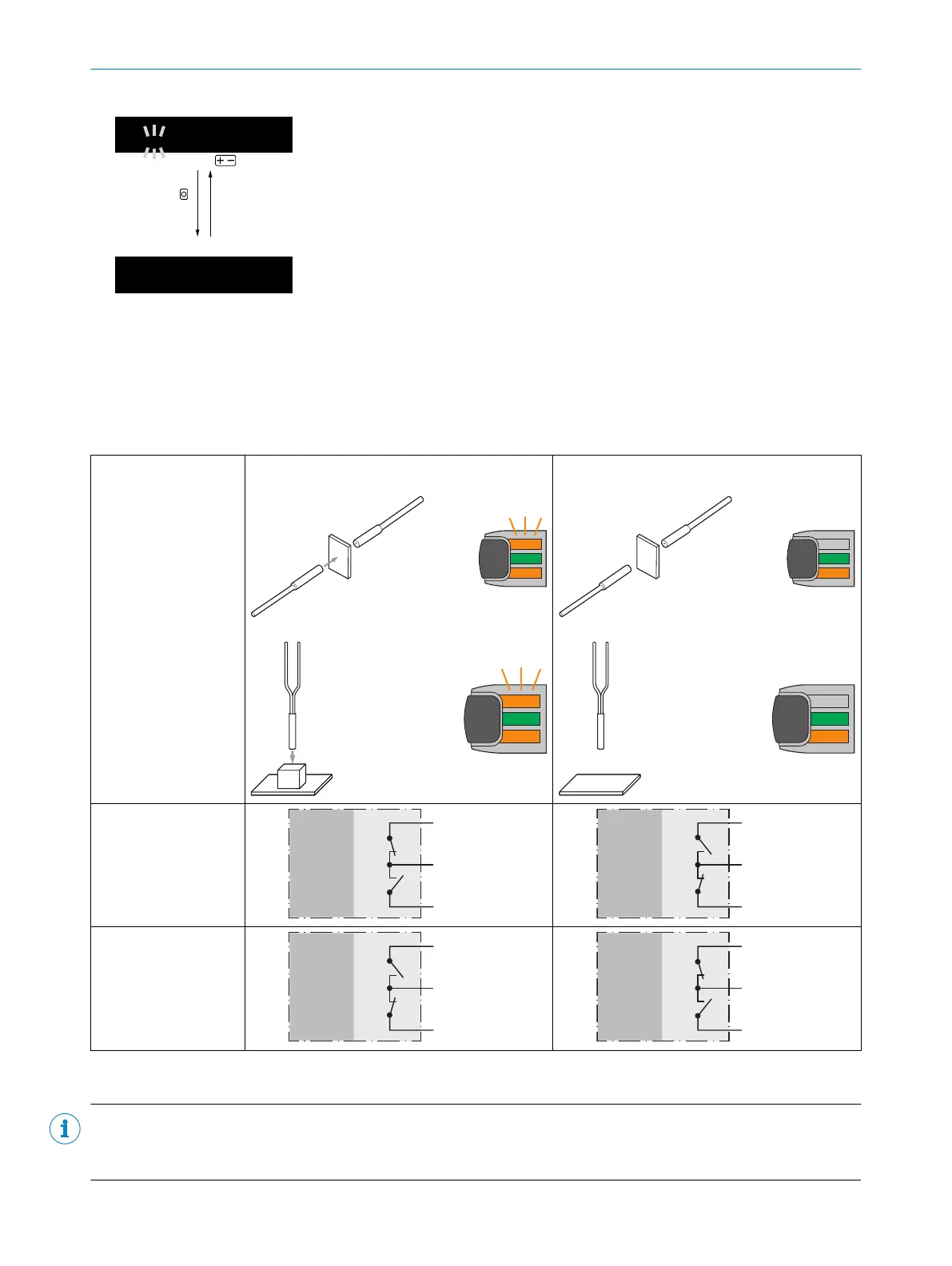
The switching logic (as well as hysteresis direction) is preset by selecting the detection mode (“Proximity”,
“Through-beam”). Therefore, when an object is detected, a HIGH signal is present at the output (Through-beam:
“dark switching”, Proximity: “light switching”). This switching logic can be reversed under “Invert output signal” by
selecting the “Inverted” setting, see "Invert output signal", page 25.
Table 72: Output function
WLL80 Object present
1)
Through-beam mode:
Proximity mode
2)
:
Object not present
1)
Through-beam mode:
Proximity mode
2)
:
Output:
not inverted
Push-pull
PNP
NPN
+ (L+)
Q ≤ 100 mA
‒ (M)
Push-pull
PNP
NPN
+ (L+)
Q ≤ 100 mA
‒ (M)
Output:
inverted
Push-pull
PNP
NPN
+ (L+)
Q ≤ 100 mA
‒ (M)
Push-pull
PNP
NPN
+ (L+)
Q ≤ 100 mA
‒ (M)
1)
Logic of the LED follows the switching signal at the output.
2)
In proximity mode for proximity fibers: object white 90% remission factor, background black 6% remission factor
NOTE
If the switching logic is changed by adjusting “Invert output”, the switching points for an output signal change
(SP
SignalChange1
, SP
SignalChange2
) are retained.
8 OPERATION
58
O P E R A T I N G I N S T R U C T I O N S | WLL80 Analog 8027947 /2022-12-14 | SICK
Subject to change without notice



 To Next Page