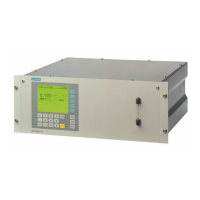
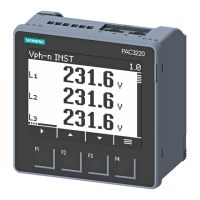
Meter display 9410 series
7. In the Volts Mode screen, press to go to the PT/CT Setup screen.
8. In the PT/CT Setup screen, press
to highlight the potential transformer (PT)
or current transformer (CT) value for editing. Press
to edit the highlighted value.
NOTE: If you have exceeded the password timeout period, you are prompted to
enter your meter’s display password.
9. Press to change the value of the highlighted digit (0 - 9). Press to go to the
next digit. Press
to enter the new value. When the confirmation screen is
displayed, press
to confirm the new value or to revert to the original value.
Related Topics
• Security overview
• Minimum configuration requirements for basic metering
Display setup
You can configure your meter’s basic display parameters using the display.
Screen setup
Parameter Values Description
Backlight Timeout 0 to 720 Specifies how many seconds the display’s
backlight remains lit after the last button press
Label & symbol setup
Parameter Values Description
Phase Lbls ABC, 123 Sets the voltage and current phase labels
Measurement
Symbols
IEEE, IEC Specifies whether IEEE or IEC measurement
symbols are applied to displayed values
PF Convention IEEE, IEC Specifies whether IEEE or IEC power factor
conventions are applied to displayed values
7EN05-0336-01 35



 To Next Page
 Loading...