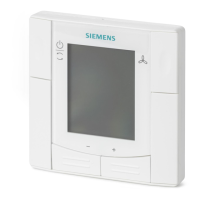
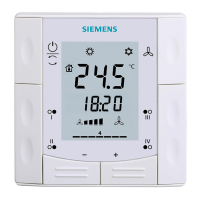
Operating the thermostat on the device
Turning on/off the supply of domestic hot water
6
26 | 59 A6V10877569_en--_e
you use your thermostat for the first time. You can also create, modify or deactivate
it later under “Advanced Settings”.
Actions protected by the administrator password are listed as below. You can find
them under “Advanced Settings” as well.
● Checking the basic information about the thermostat.
● Viewing/Using the activation code of the thermostat.
● Changing or deactivating the administrator password.
● Setting up WLAN connection.
● Changing date and time.
● Changing application settings.
● Changing basic/extended configurations and doing factory resets.
If you cannot remember the created administrator password, turn to the product
supplier or agency for support.
If your thermostat is selected for home use, options related to WLAN connection
is accessible from “Settings” instead of “Advanced Settings”.
Create/activate an administrator password under “Advanced
Settings”
1. On the Home screen, tap , then tap . The “Advanced Settings” page
displays.
2. Tap > “Password” > “Activate”.
3. View the password policy on the screen, and then tap .
4. Enter a strong password required by the password policy, and then tap “OK”.
5. Tap “OK”.
Manage your administrator password
1. On the “Advanced Settings” page, tap > “Password”.
2. Modify or deactivate the administrator password.
6.5 Turning on/off the supply of domestic hot water
Use your thermostat to manage the supply of DHW (Domestic Hot Water) if
corresponding external equipment is connected with your thermostat and you’ve
also configured the thermostat output as a domestic hot water boiler. You can turn
on or off the supply of domestic hot water, or let the thermostat automatically adjust
whether and when to turn it on.
Turn on/off the supply of domestic hot water
1. On the Home screen, tap , then tap > .
2. Tap either “ON”, “OFF” or “AUTO”.
6.6 Basic settings
Under basic settings, you can:
● Lock/Unlock the home screen [➙ 25]
● Change the temperature unit [➙ 21]
● Connect to a WLAN network [➙ 23] if the thermostat is selected for home use
● Turn on/off the touch sound
● Change the display language
● Specify a room name



 To Next Page