Mounting
5.1 Notes on installation
SIMATIC MV500
64 Operating Instructions, 05/2019, C79000-G8976-C494-02
Mounting the SIMATIC MV500 optical reader
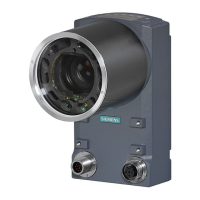
The optical readers are autonomous compact devices that need to be mounted in a suitable
location and only require a lens, a power supply cable and a communications connection.
The SIMATIC MV500 optical reader has threaded holes on the front and back, allowing
flexible mounting options.
To provide lighting when reading the codes, you have several options available. The
simplest and most space-saving option is a ring light that can be integrated in the protective
lens barrel.
You also have the choice between the different lens types. You can use fixed-focus mini-
lenses with adjustable aperture/focus and EF lenses with adjustable focal length. The
following describes mounting based on the ring light or lens used.
Compatibility of MV500 built-in ring light and MV440 protective lens barrel
Note that you may only use the MV500 built-in ring lights in conjunction with the
SIMATIC MV500 optical readers and the protective lens barrel (article number 6GF3540-
8AC11).
The protective lens barrels of the SIMATIC MV440 readers are not compatible with the
SIMATIC MV500 readers in conjunction with the SIMATIC MV500 built-in ring light.










 To Next Page