Detailed descriptions
17.6 BIOS setup
SIMATIC Panel PC 877
Operating instructions, Release 07/2006, A5E00877780-01
17-63
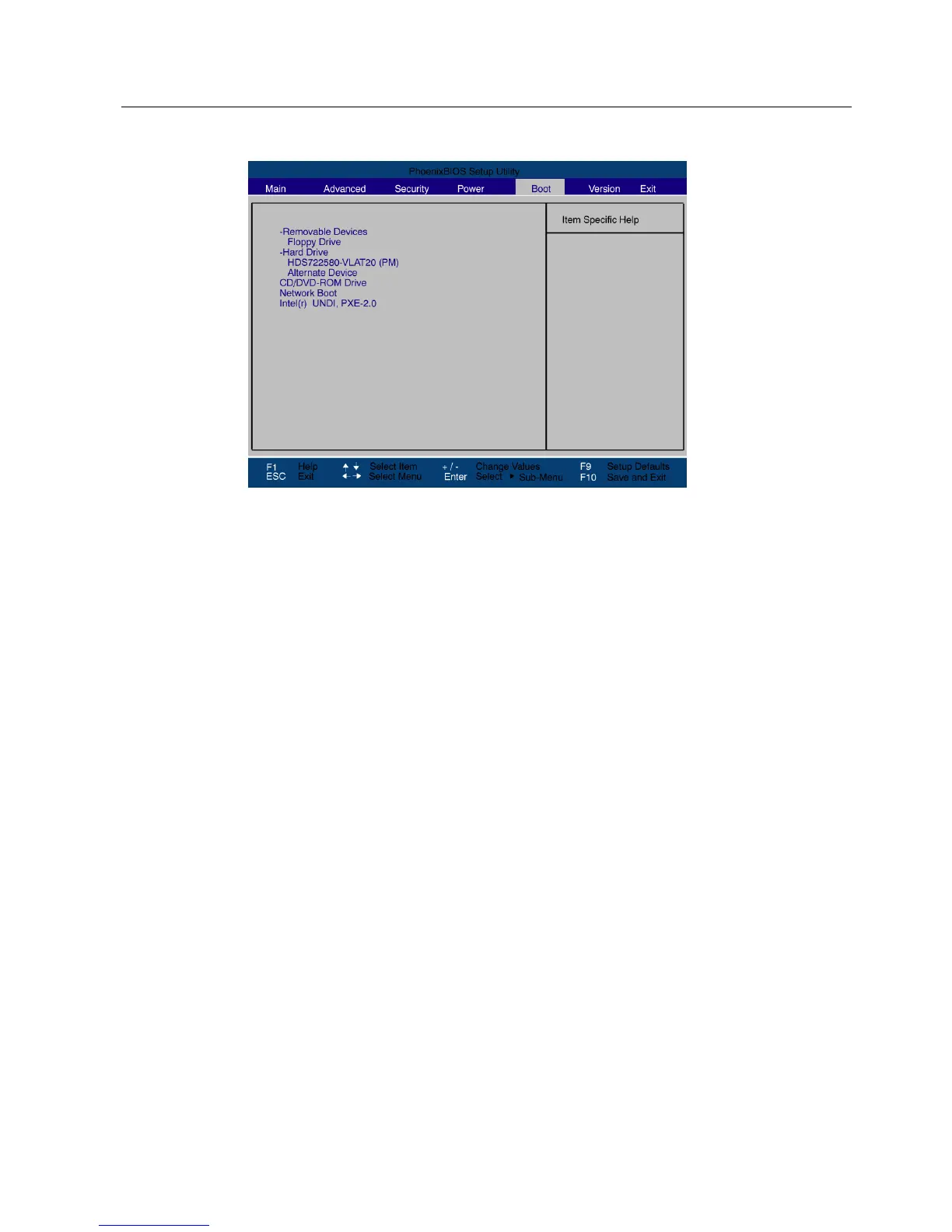
Figure 17-19 Boot menu (example)
This screen shows all possible boot devices. The device taking highest priority is listed in the
first line of the relevant group. Here again, you can change the order of appearance as
described above.
If a boot device is not available, the next device in the sequence is automatically checked to
ascertain whether or not it is bootable.











 To Next Page