Operation and configuration
9.2 Additional Drivers and Applications
SIMATIC Panel PC 877
Operating instructions, Release 07/2006, A5E00877780-01
9-15
9.2.8 CheckLanguageID
Scope
The following applies to Windows 2000 Professional Multi-Language and Windows XP
Professional Multi-Language.
Call
c:\drivers\checklang\checklangid.exe or reinstallation from the "Documentation and Drivers"
CD.
Function
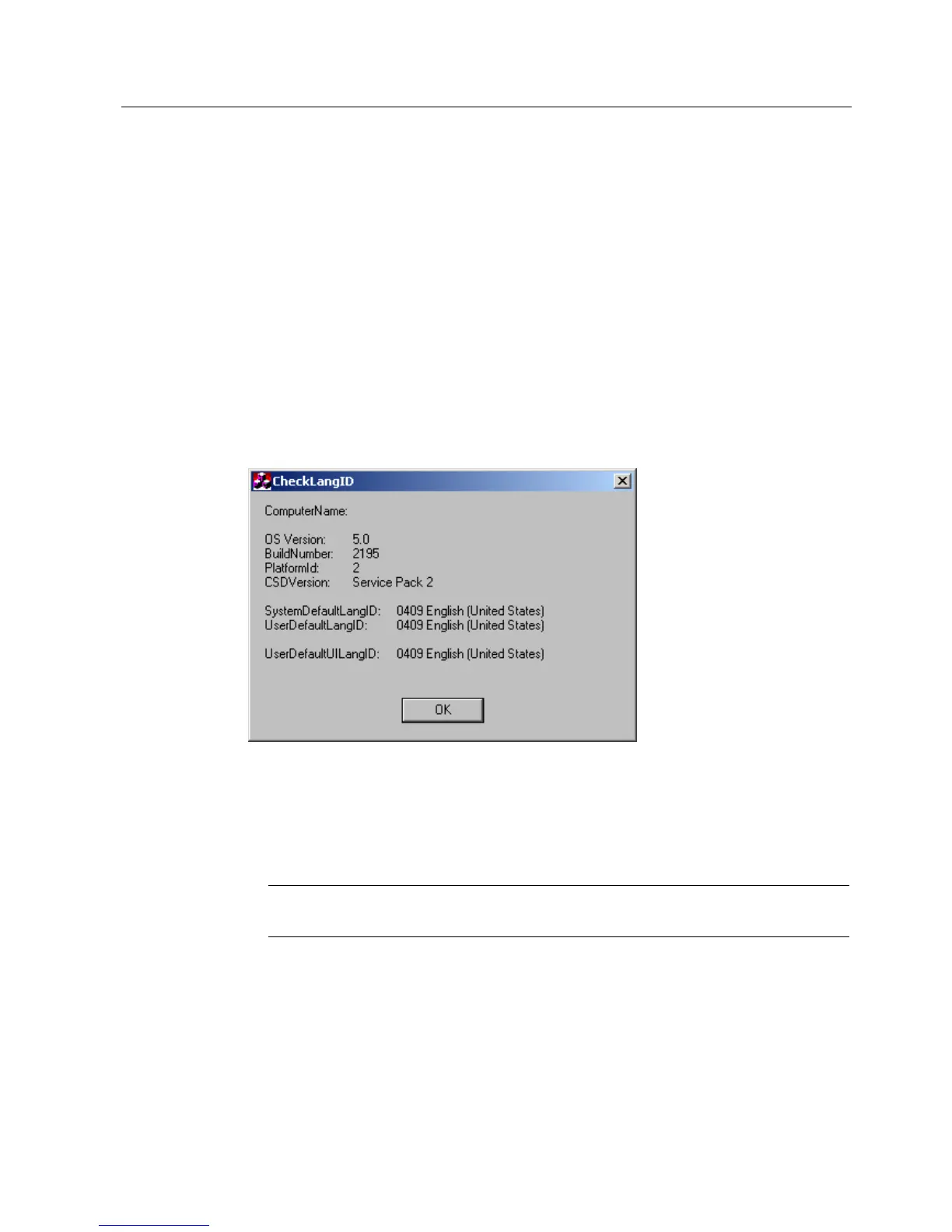
"CheckLanguageID" displays the currently installed languages.
Figure 9-5 CheckLanguageID
• SystemDefaultLangID: System language
• UserDefaultLangID: Standard language
• UserDefaultUILangID: User interface language
Notice
All three languages displayed should have the same ID assigned.











 To Next Page