Operation and configuration
9.2 Additional Drivers and Applications
SIMATIC Panel PC 877
Operating instructions, Release 07/2006, A5E00877780-01
9-13
9.2.6 Screen keyboard (for touch panel device only)
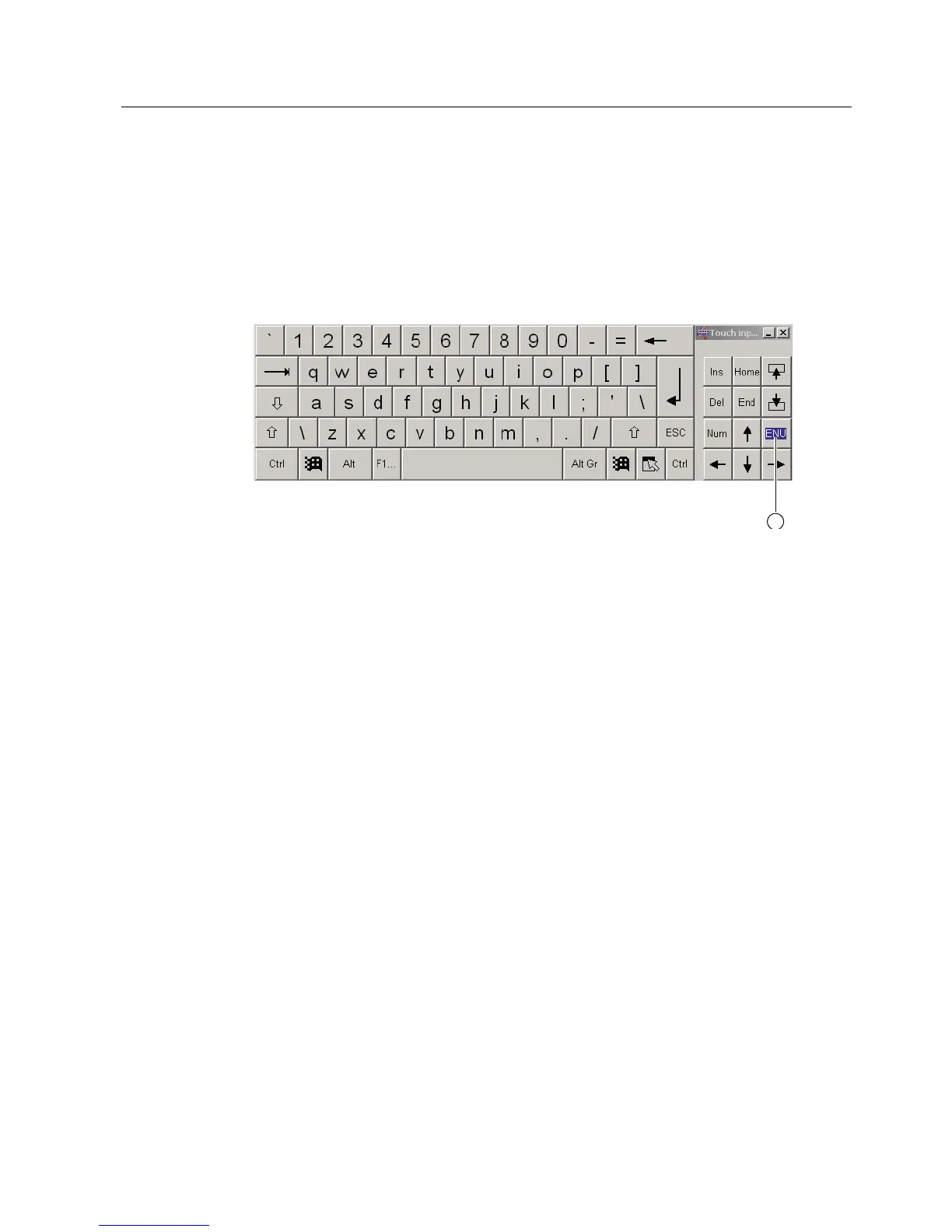
You can operate the device by means of a virtual screen keyboard. You can use it to enter
the characters directly on the touch screen or with an externally connected mouse.
Calling up TouchInput
Call up the "TouchInput" application on the desktop. The screen keyboard is displayed.
(1) Key for selecting the keyboard layouts for specific countries: German, English, Italian,
Spanish, French











 To Next Page