Read/write data with IO-Link
Entry ID: 73565887, V3.4, 06/2022
© Siemens AG
2022 All rights reserved
3 Mode of Operation
3.1 General overview
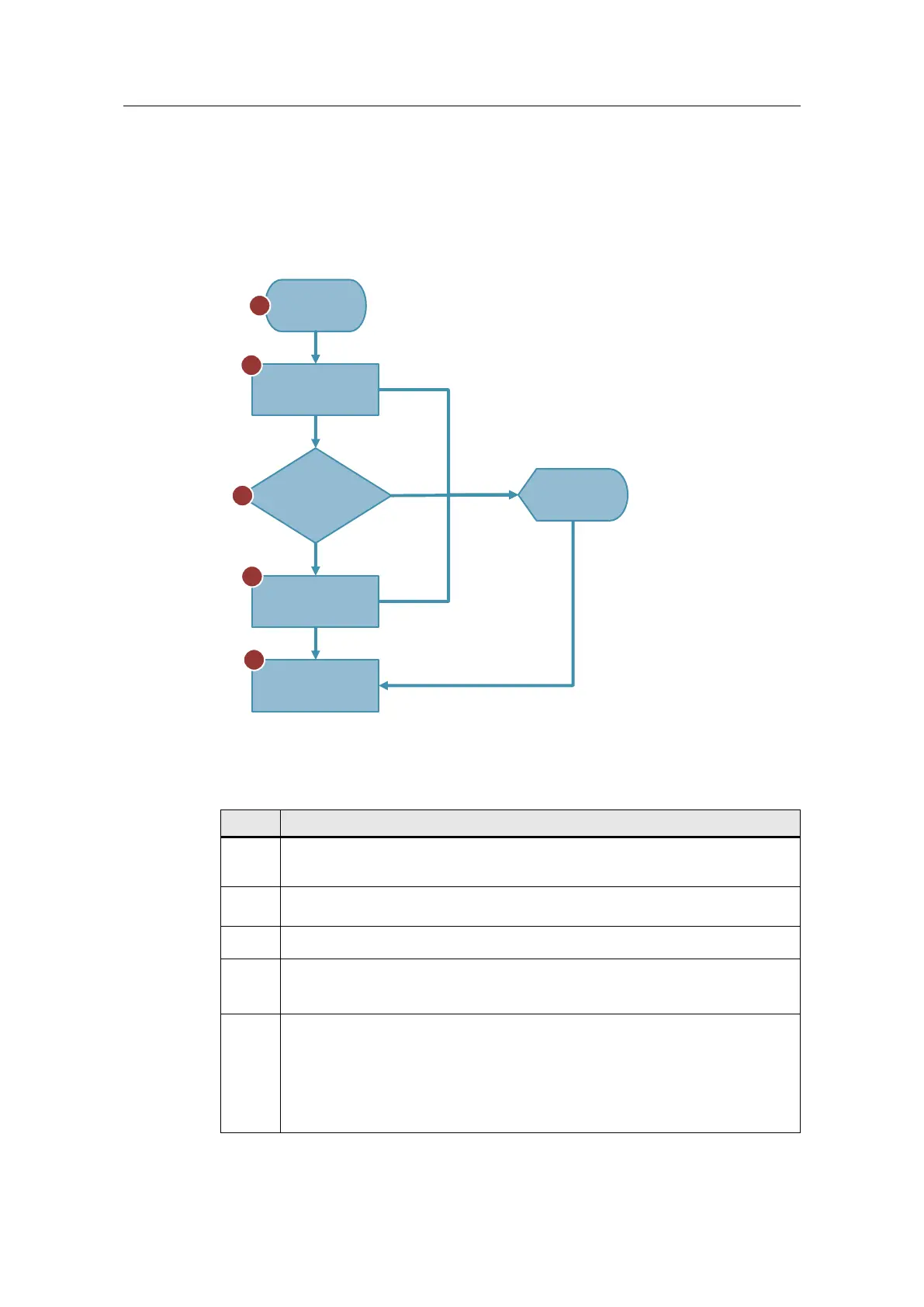
Figure 3-1
Start
LIOLink_RF200_
SwitchAntenna
Watchdog timer
5 s
LIOLink_RF200_
SwitchAntenna
LIOLink_RF200_
ReadTag/WriteTag
1
2
3
4
5
Error
Error
No transponder
detected
Transponder
detected
Done
Error and
status output
The table below shows the individual steps of the read/write function
(reading/writing RFID data from/to the transponder).
Table 3-1
Use the "READ"/"WRITE" button on the user interface of the SIMATIC Panel
(HMI) to start the read/write function. The two functions can also be started via a
watch table.
The " LIOLink_RF200_SwitchAntenna" library block switches on the antenna
field at the reader.
The "TONR" watchdog timer monitors whether a transponder is located in the
detection/write area within the monitoring time of 5 s.
If a transponder is detected in the reader’s field within the 5 seconds, the "
LIOLink_RF200_ReadTag" / "LIOLink_RF200_WriteTag" library block will
read/write the RFID data from/to the transponder.
The " LIOLink_RF200_SwitchAntenna" library block switches off the antenna
field at the reader when:
• the read/write job has been successfully completed
• an error has occurred while processing the read/write job
• no transponder was detected in the reader’s field within the specified time.
Turning off the antenna field terminates the read/write function.










 To Next Page