4 Installation and Commissioning
Read/write data with IO-Link
Entry ID: 73565887, V3.4, 06/2022
© Siemens AG
2022 All rights reserved
4.3.4 Configuration of the IO-Link Master
Before you start operating the application, the following steps are necessary to
commission the RF200 IO-Link reader.
Table 4-5
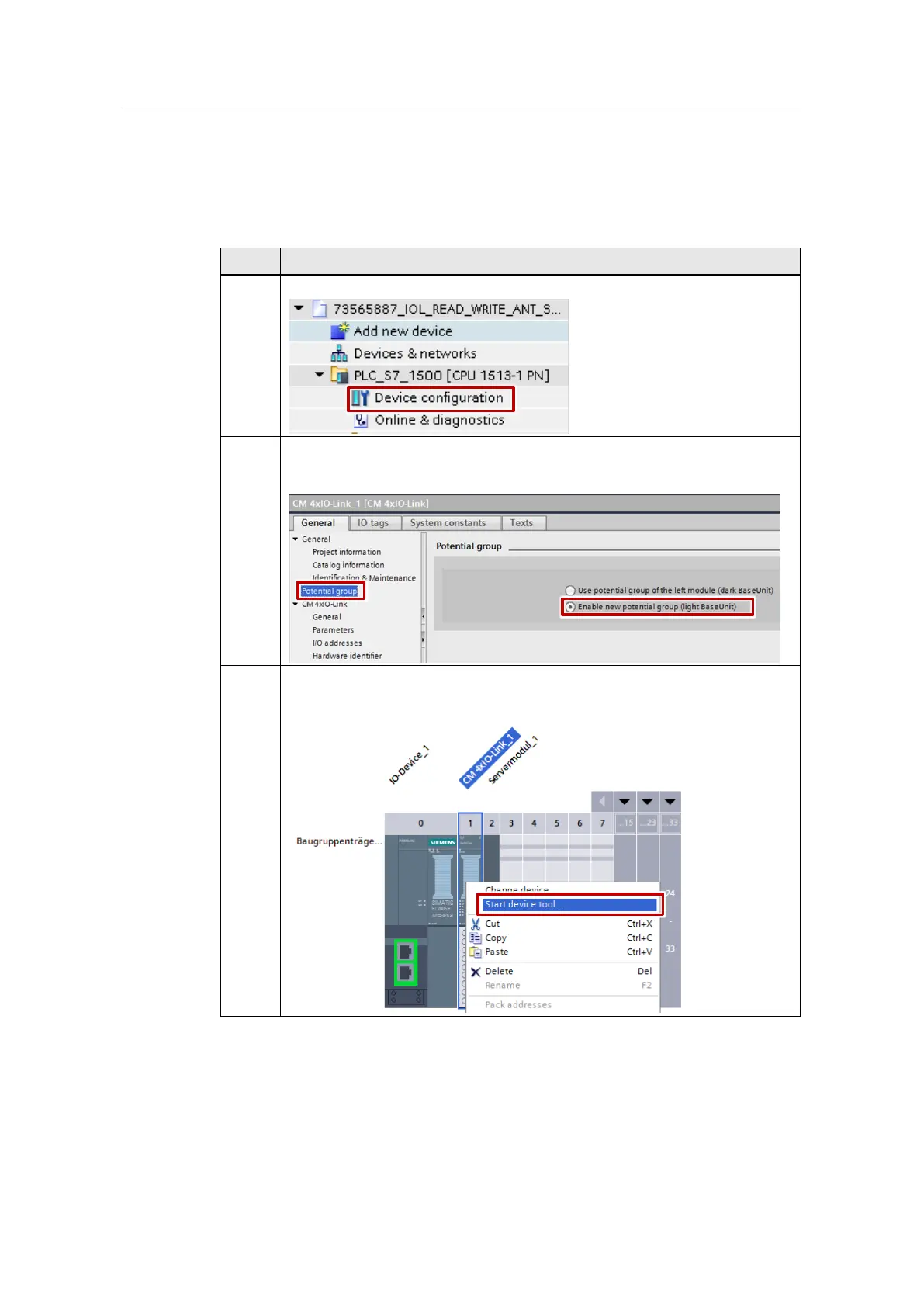
In the TIA Portal, open the Device configuration of the PLC_S7_1500 station.
Open the properties of the CM 4xIO-Link module and activate a new potential
group.
"Properties" > "Potential group"
Move your mouse pointer over the CM 4xIO-Link module.
Open the dialog window with the right mouse-button and click on "Start device
tool".










 To Next Page