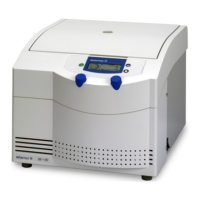
Laboratory centrifuge Sigma 2-7, Sigma 2-7 Cyto
Laboratory centrifuge Sigma 2-7 IVD
Version 07/2015, Rev. 1.12 of 16/07/2019 • sb
Translation of the original operating manual, part no. 0702802
6.3.8 Rotor selection
In the factory settings, a rotor is already preselected, depending on the
centrifuge version. If another rotor is used, the configuration must be
adapted accordingly so that the prescribed maximum speed can be
reached and the correct RCF value can be indicated.
• To select a rotor, press and hold the Set button until the rotor selection
screen is displayed. Then, release the Set button.
• Use the arrow buttons to select the ID number (code) of the rotor that is
used from the table (see below):
• Press the set key to confirm the input.
The RCF value will be adjusted automatically to the selected rotor.
The rotor selection will be saved under the corresponding program
number.
Sigma 2-7, Sigma 2-7 IVD
11123 with 13223 (Not certified for Sigma 2-7 IVD!)
Sigma 2-7 Cyto
11260 cyto rotor, closed, RESOSPIN with stainless-steel clip 13260
11261 cyto rotor, closed, SHANDON with stainless-steel clip 13261



 To Next Page