2-26
New bottle
Note
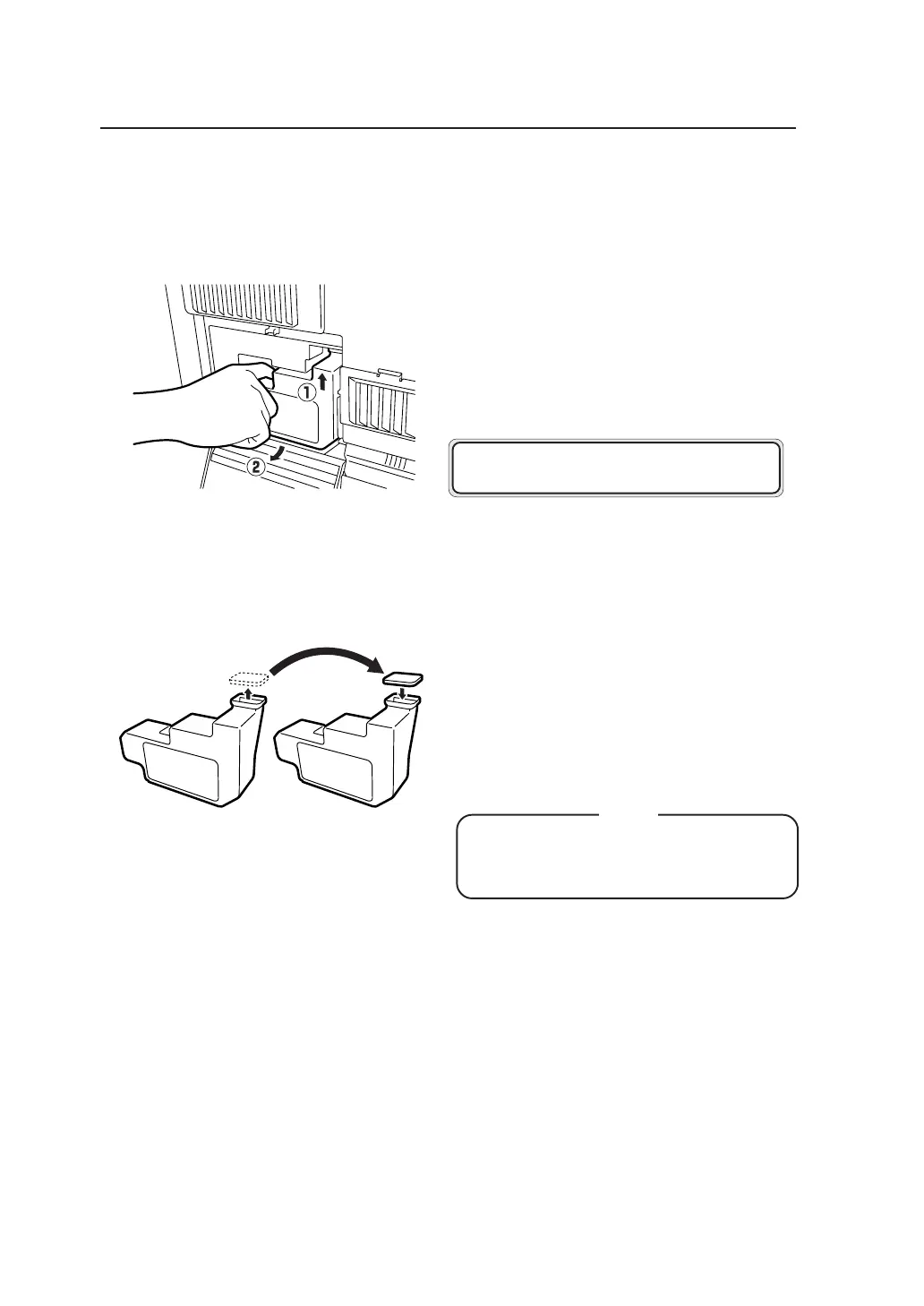
3 Remove the waste toner bottle from the main unit.
1 Lift up the waste bottle,
2 Remove it by pulling it out from the bottom
end toward you.
When you have removed the waste toner bottle,
the LCD will display the following message.
4 Attach the cap to the waste toner bottle.
Attach the cap which you have removed in
procedure 1 to the waste bottle containing waste
toner.
Dispose of the waste bottle containing waste
toner as non-burnable garbage.
Cap
Bottle containing
waste toner
◆Attach the cap securely as it may
come off.
SET
WA S T E BOT T L E



 To Next Page