2-34
This device offers a manual feeding feature as a service function.
As this is a service function, we cannot assure the picture quality and
printing accuracy.
Manual paper feeding (cut paper)
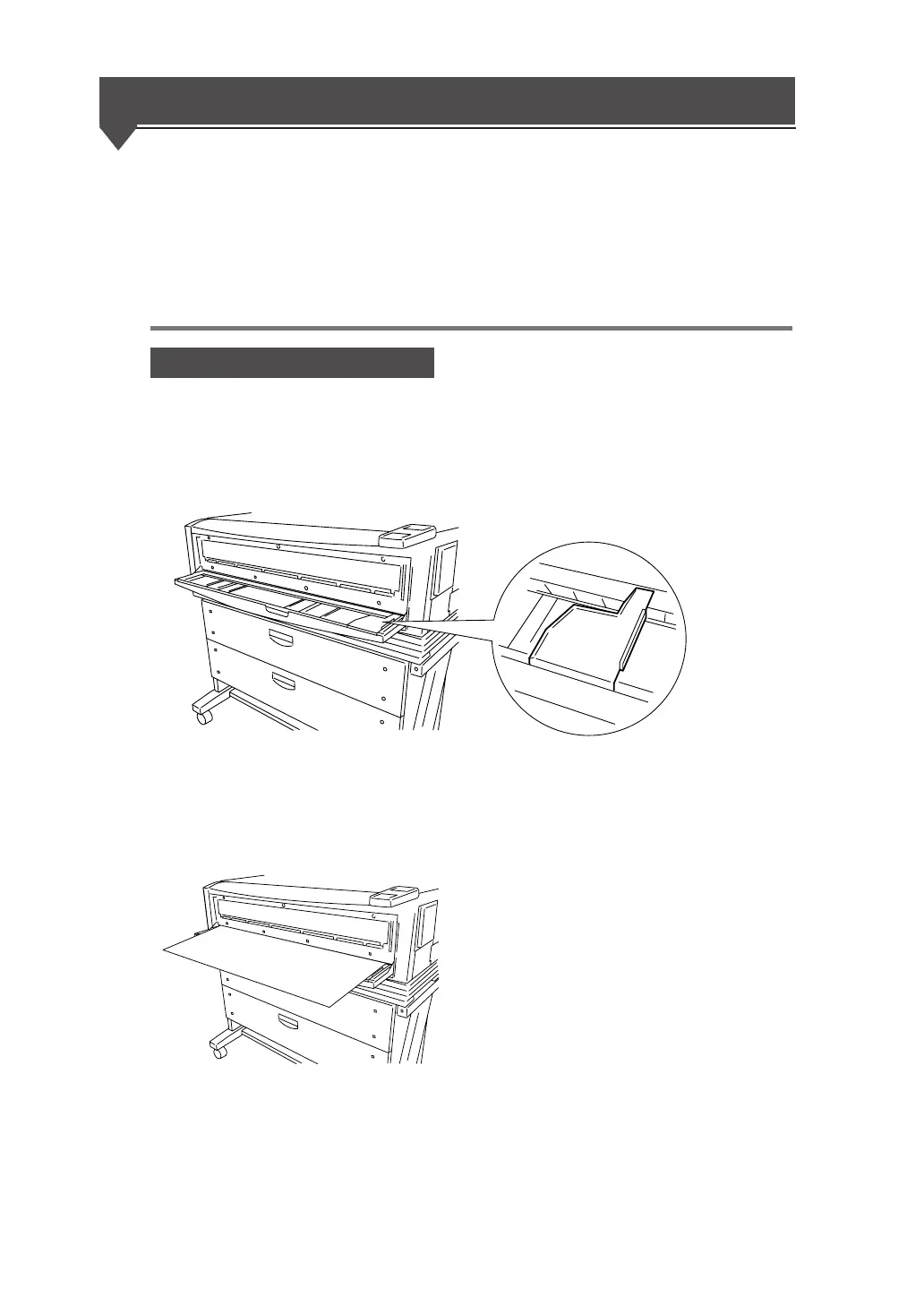
Manual feeding procedures
1 Adjust the paper guide.
Adjust the paper guide to the position where
you will set the cut paper for manual feeding.
2 Set the paper so that the printing surface is face down.
When you insert the paper into the manual
paper feed inlet, the paper is drawn in and the
paper is ready for printing.



 To Next Page