Copyright Silca 2006 33
Operating Manual - English SBB
10 MAINTENANCE
ATTENTION:
for repairs or replacement of parts for maintenance, the ‘CE’ mark is guaranteed only if original
spare parts provided by the manufacturer are used
.
The machine does not require special maintenance.
ATTENTION:
do not open the machine for any reason whatsoever
)
Before starting any type of maintenance (checks or replacement of parts) read the following
instructions
:
- Do not carry out any maintenance operations with the machine turned on;
- Always disconnect from the mains;
- Follow the instructions in the manual;
- Use original spare parts.
The instructions above relating to the probable causes of the faults described should be considered indicative
and not a complete list of the possible causes of malfunctions.
Contact the After-Sales Service in the event of any other problems arising
.
10.1 CHECKING WIRING
If it is necessary to check the machine’s internal wiring, proceed as follows
:
- Disconnect the supply wire;
- Detach any other wires connected to the machine;
- Remove the 4 screws located on the back of the machine;
- Remove the cover carefully, paying attention to the wiring;
- Check that all the connectors are properly in place.
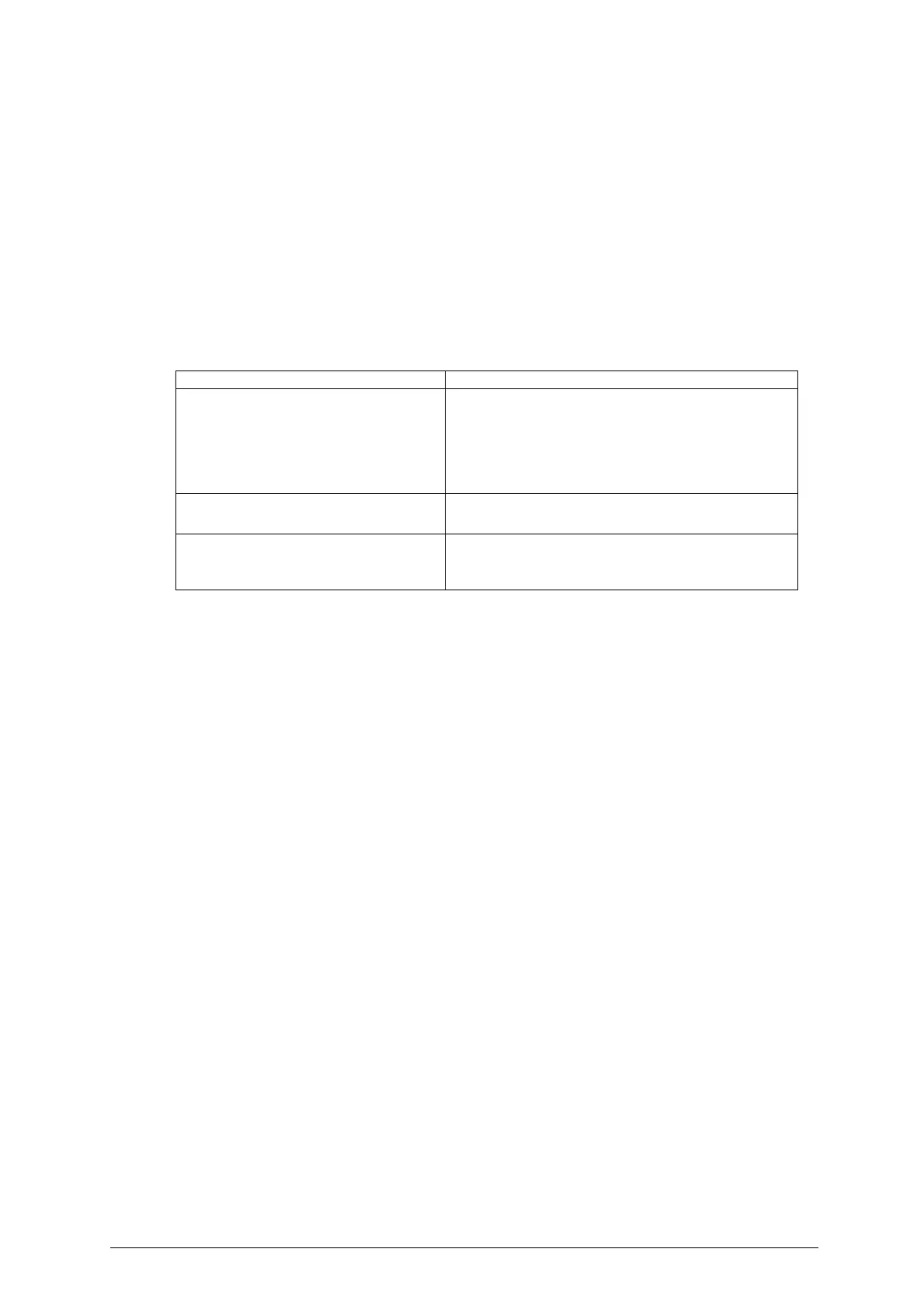
FAULT PROBABLE CAUSE
DISPLAY:
- DISPLAY IS BLANK WITH MACHINE ON
A) CHECK POWER SUPPLY CONFIGURATION
B) CHECK CONNECTION WIRING
- REPLACE DISPLAY (AFTER-SALES SERVICE)
- REPLACE ELECTRONIC CONTROL BOARD (AFTER-SALES
SERVICE)
KEYPAD:
- NOT RESPONDING TO CONTROLS
A) CHECK CONNECTION WIRING
- REPLACE KEYPAD (AFTER-SALES SERVICE)
NO COMMUNICATION WITH THE
CENTRALIZED UNIT
A) CHECK THAT THE RIGHT CAR MODEL HAS BEEN
SELECTED
B) CHECK THE WIRING


 To Next Page