Copyright © 2003 Silicon Image Inc. SATARaid User’s Manual
30
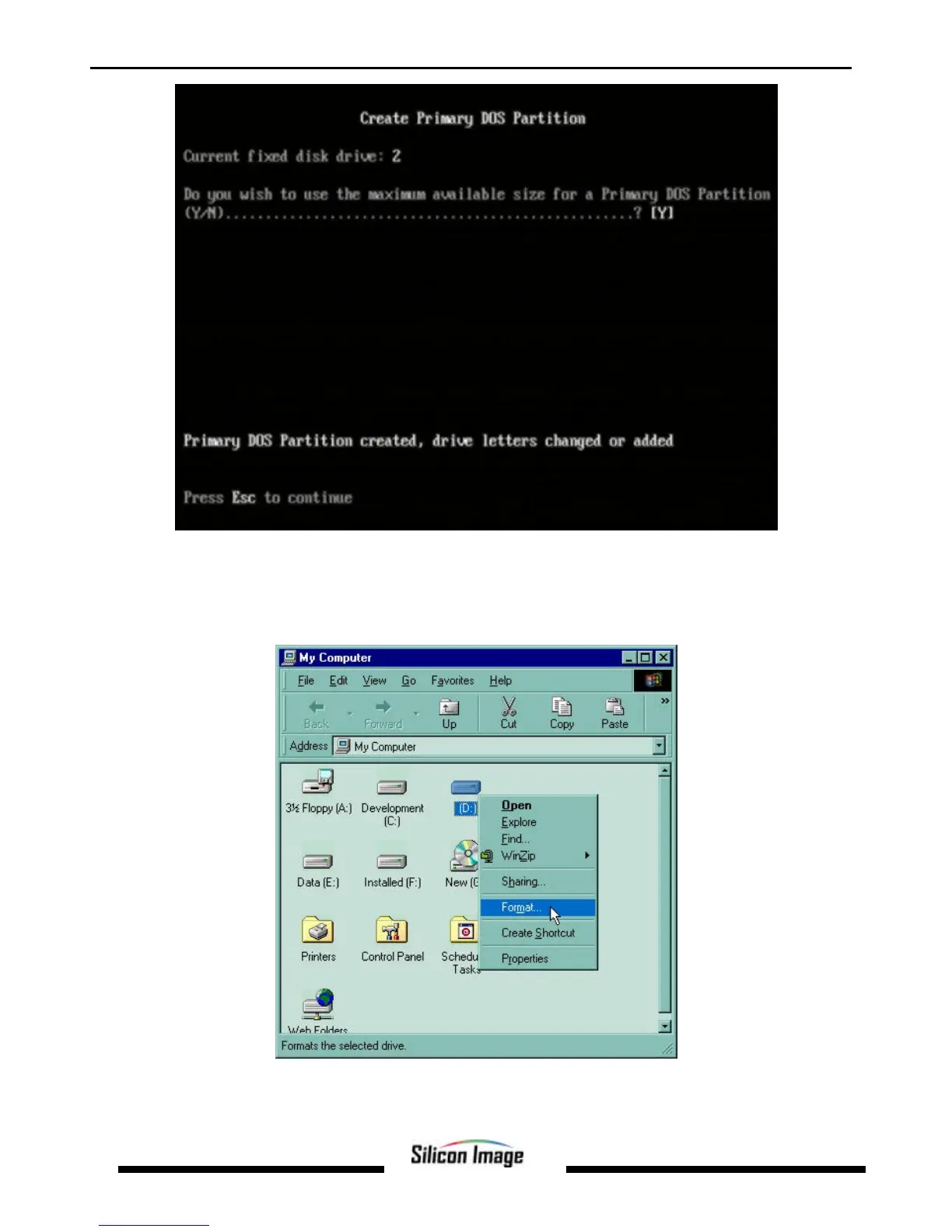
Press the Esc key to return to the FDISK Options menu. Repeat the process for any remaining drives that need to be
partitioned. When all drives have been partitioned, return to the FDISK Options menu, then press Esc to exit FDISK. The
computer will need to be rebooted.
After restarting the computer and booting Windows double-click on the My Computer icon. Right-click on each new drive
and select Format.
Select Full Format, enter the Label (name) for the drive or RAID set if desired and click OK.


 To Next Page