SATARaid User’s Manual Copyright © 2003 Silicon Image Inc.
29
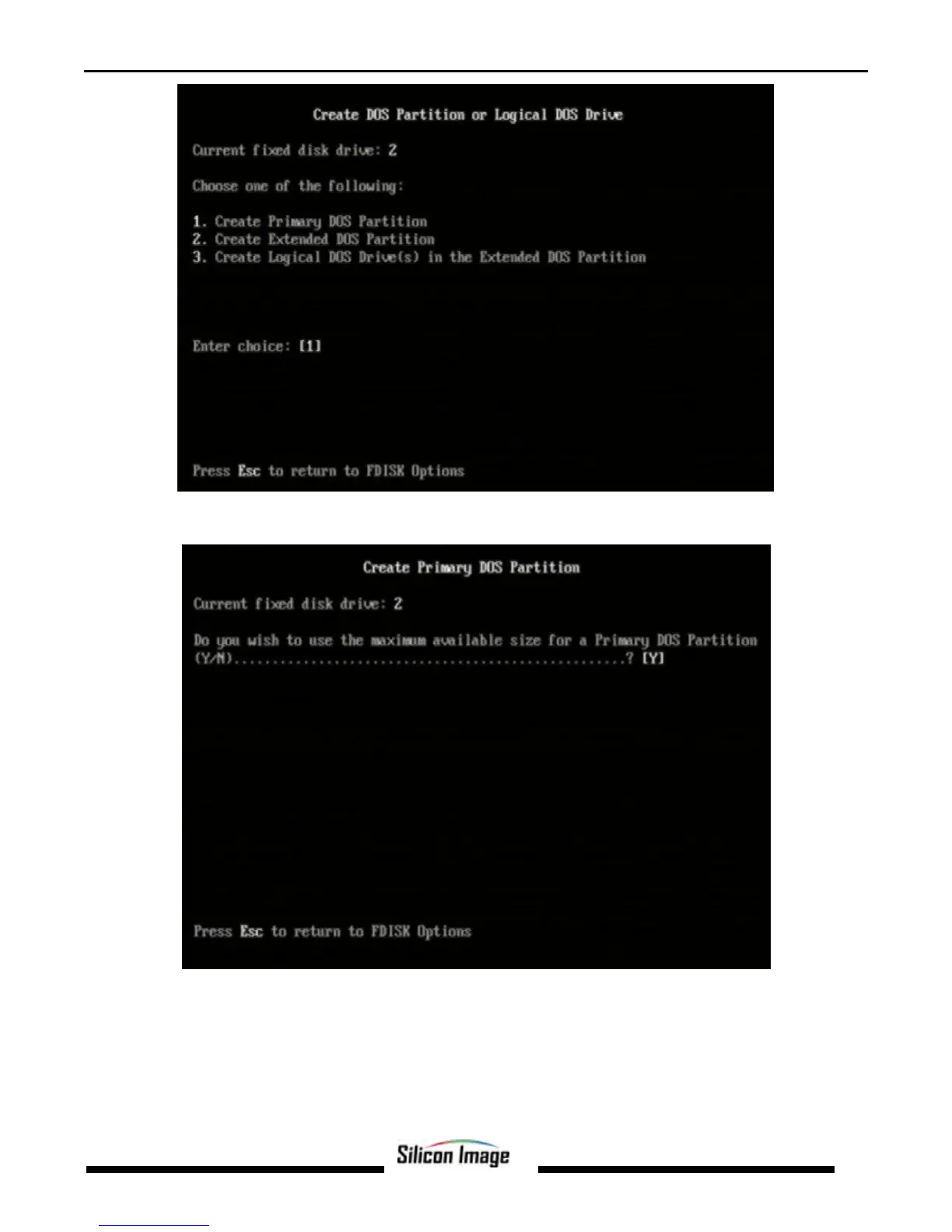
Press Enter to select Create Primary DOS Partition. FDISK will scan the drive and the following window will appear. Press
Enter to confirm use of the entire drive capacity for the partition.
While the partition is being created, a progress indication appears at the bottom of the screen. Once the percentage counter
reaches 100%, the following window will appear:


 To Next Page