Printed in USA 10/13 © 2013 18 36948-EN
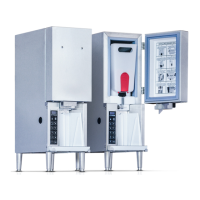
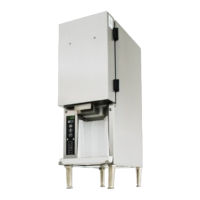
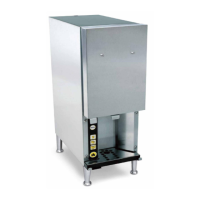
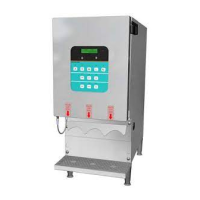
3-Product Dairy Dispenser
Model SKBD3LS
P
R
I
NC
E
C
A
STL
E
LLC
WORLDWIDE
PROBLEM PROBABLE CAUSE SOLUTION
Not dispensing accurately Containers not in correct position Check container position (L,C,R).
Wrong tubes being used Use Silver King tubes only (Part No. 37222).
Unit out of calibration Run daily calibration (See Calibrating the Unit).
Valve hanging up Call for service (888-375-2938).
Not dispensing Container empty Fill container.
Valve not opening Call for service (888-375-2938).
Buttons not responding Call for service (888-375-2938).
“CHECK (Product name) LC” is
displayed
Bad connection Call for service (888-375-2938).
“EMPT” is displayed when container is
full
Unit needs to be zeroed Call for service (888-375-2938).
Containers not installed correctly Adjust containers.
Display is blank Unit not receiving power Check that service cord is firmly connected to
the wall socket and the unit, and the power
switch is in the “ON” position.
Door cable Check door cable to make sure it is secure.
Bad display Call for service (888-375-2938).
Unit will not stop dispensing Stuck valve Call for service (888-375-2938).
Ice buildup Door not sealing Check that door is properly closed. Close the
tank covers, the top access door, and then the
front door of the unit. NOTE: Closing front door
before top access can create a gap which may
lead to increased ice buildup and/or warm dairy
product.
Bad gasket Call for service (888-375-2938).
Bad temperature probe Call for service (888-375-2938).
Unit not cold Fan motor not working — there is no airflow out of
top rear of unit
Call for service (888-375-2938).
System out of refrigerant; compressor not
pumping; moisture in system
Call for service (888-375-2938).
Unit too cold Temperature set too low: temperature should be
33°F - 41°F (1°C - 5°C)
Adjust temperature up (See Operation —
Changing the Temperature Set Point).
Unit is noisy Tubing vibrating Call for service (888-375-2938).
Internal compressor noise Call for service (888-375-2938).
Compressor vibrating on cabinet frame Call for service (888-375-2938).
Display reading “Replace battery” Battery not seated properly on main board Turn power switch off and unplug unit. Remove
front access cover and locate main control
board on the right. Slide main board out and
check battery to make sure it is pushed all the
way in. Slide main board back in, making sure
to push firmly to seat.
Bad battery Replace battery.
All lights are blinking and no buttons
respond
Panel disabled for cleaning Press and hold the Home button for
2-3 seconds.


 To Next Page