2-1
An alarm condition occurs when an actuating device (such as a manual call point, smoke
detector, etc.) activates. The 4100U-S1 indicates the presence of the alarm condition through
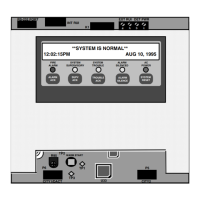
messages it displays on the alphanumeric display, by illuminating the ALARM indicator
LEDs, and by activating the building’s EWS and external bell.
This chapter describes using the Operator Interface Panel keys to investigate and manage
alarm conditions.
Refer to the page number listed in this table for information on a specific topic.
Topic See Page #
Acknowledging Alarms 2-2
Isolating (Silencing) the EWS or External Bell 2-4
Isolating ACF Outputs 2-5
Resetting Air Conditioning Control 2-6
Displaying Event time 2-7
Resetting Points 2-8
Chapter 2
Managing Alarm Conditions
Introduction
In this Chapter



 To Next Page