INSTALLATION
20221511 / D 37
Control unit
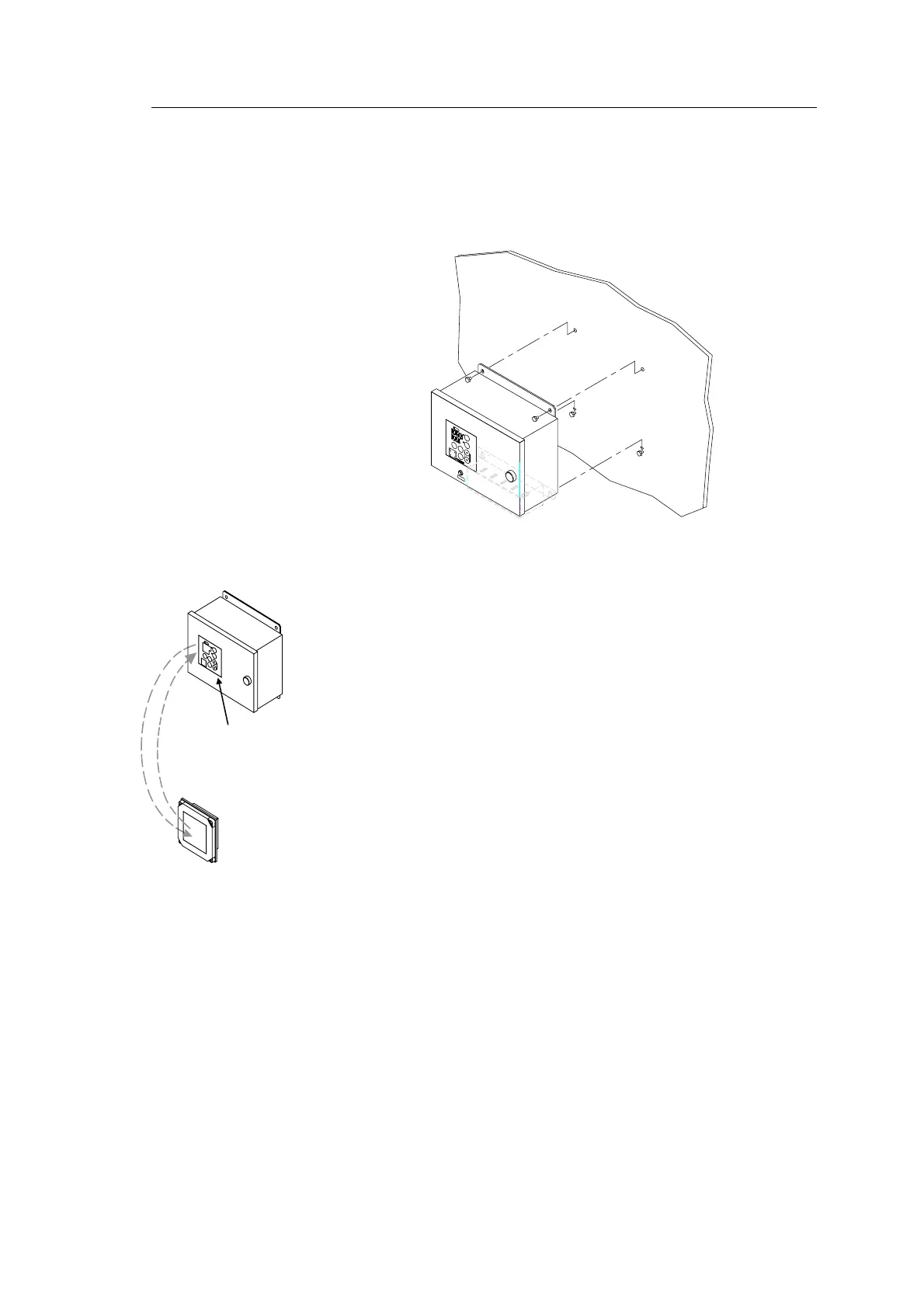
The Control unit is bulkhead mounted by using 4 bolts as shown
in the illustration.
Flush mounting the control panel
The control panel may be removed from the Control unit
and mounted in a remote location by using the optional
flush mounting kit (part number 27101757).
The flush mounting kit includes:
- 1 flush mounting panel
- 4 corners
- 4 mounting screws
- 1 blind cover
In addition to this kit, an optional control panel cable must
be ordered. The cable is available in three different lengths:
- 5m (part no. 44170736)
- 10m (part no. 44170744)
- 15m (part no. 44170751).
Use the following procedure when mounting the remote control
panel:
1 Open the control unit, and remove the wiring strips
holding the control panel’s cable.
2 Disconnect the cable’s grounding wires (labelled FG)
from the control panel and from the PWB_ICIF board in
the Control unit.
3 Disconnect the plugs and remove the control panel’s
cable.
GC80/85
CONTROL
UNIT
GC80/85
REMOTE PANEL
CONTROL
PANEL



 To Next Page