INSTALLATION
20221511 / D 43
Activating the control unit for GC80 or
GC85 system
When the gyro system is shipped from factory, all dip switches
in the Control unit are set as for a standard GC80 system.
Before the system is started, the switch settings described below
have to be changed to match a GC85 system.
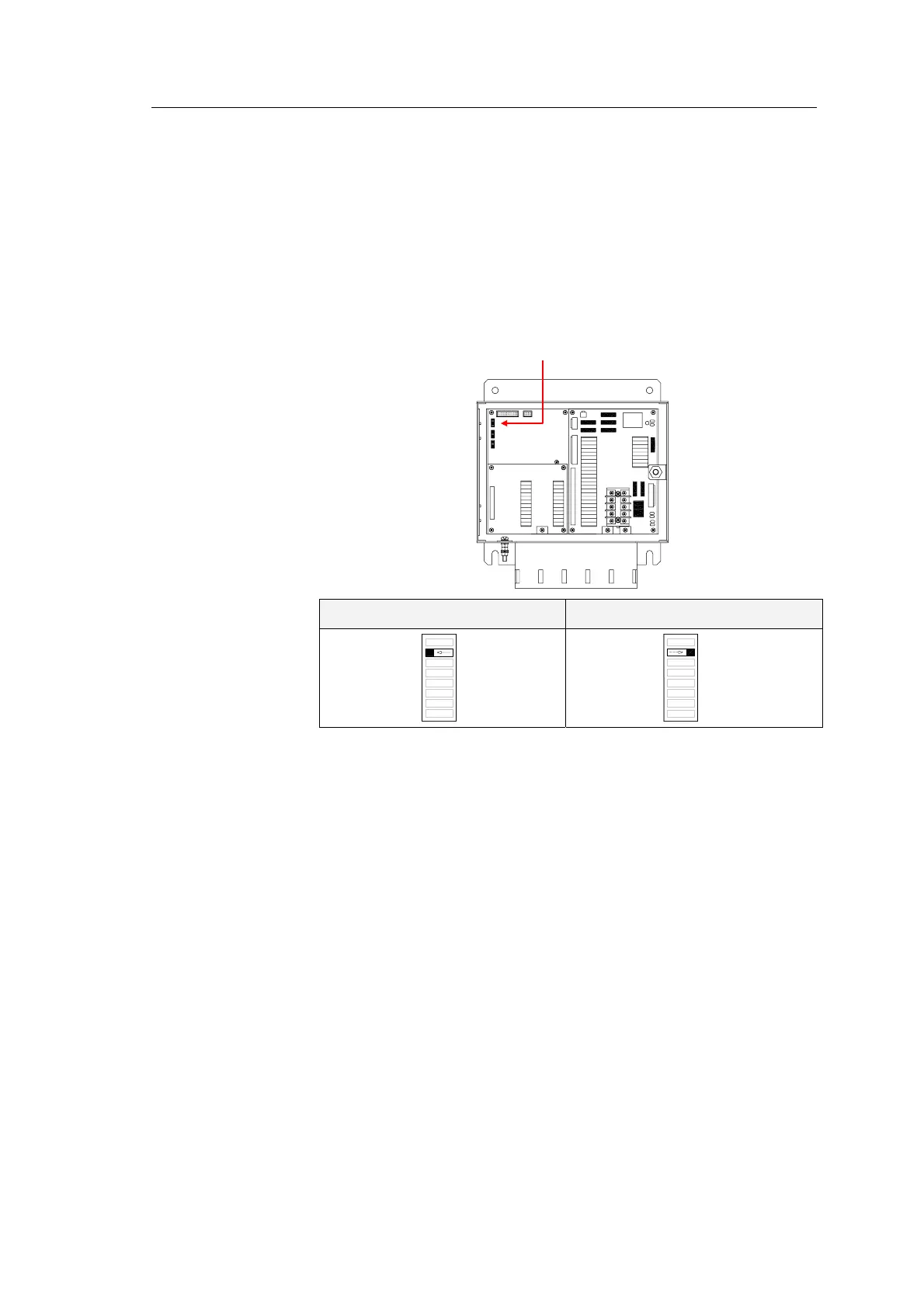
Dip switch no.2 on S1 on the ICIF board identifies the gyro as a
GC80 or GC85 system.
TB3
F8
F6F7
F2
F1
F3
F4
F5
GC80 system GC85 system
S1
1
8
OFF
8
1
S1
ON
All outputs are selectable for 1, 5, 10 or 50Hz.
Refer dip switch settings on page
91 and jumper settings on
page
93.
Note! A GC85 system is recommended to be set for 50Hz output!



 To Next Page