Page 37
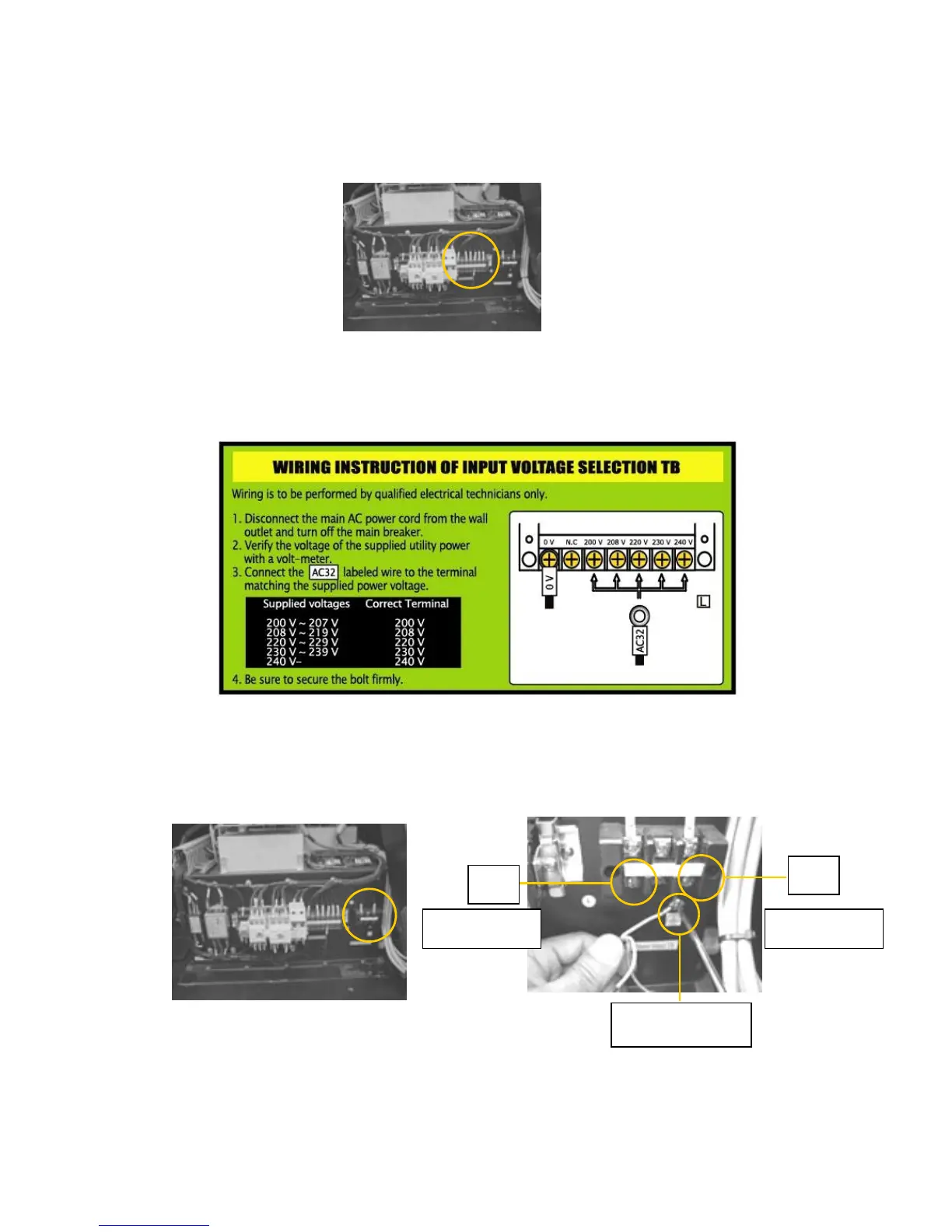
2) Locate the input voltage selection terminal block and the voltage selection wire
shown in the picture below.
3) Connect the voltage selection wire to the terminal that matches your facility supply
voltage according to the input voltage selection terminal wiring instruction.
4) Locate the power cord connection terminal and connect the two power lines and
the earth line of the power cord as shown below. Make especially sure that the
earth line is properly connected for safe and proper operation.
5) Verify all connections & connect power cord to the facility input voltage source.



 To Next Page