Page 36
5.10 CONNECTING THE POWER CORD
Before supplying power to the power cord, make sure that the system is
properly configured
Improper configuration can damage your system permanently.
Cycraft is designed to accept the single phase 200V, 208V, 220V, 230V, and 240 VAC,
50/60 Hz power sources to support the different electric power systems in different
parts of the world. However, the system must be configured correctly for each power
supply voltage by connecting an electric line to one of three available terminals inside
the MSCU.
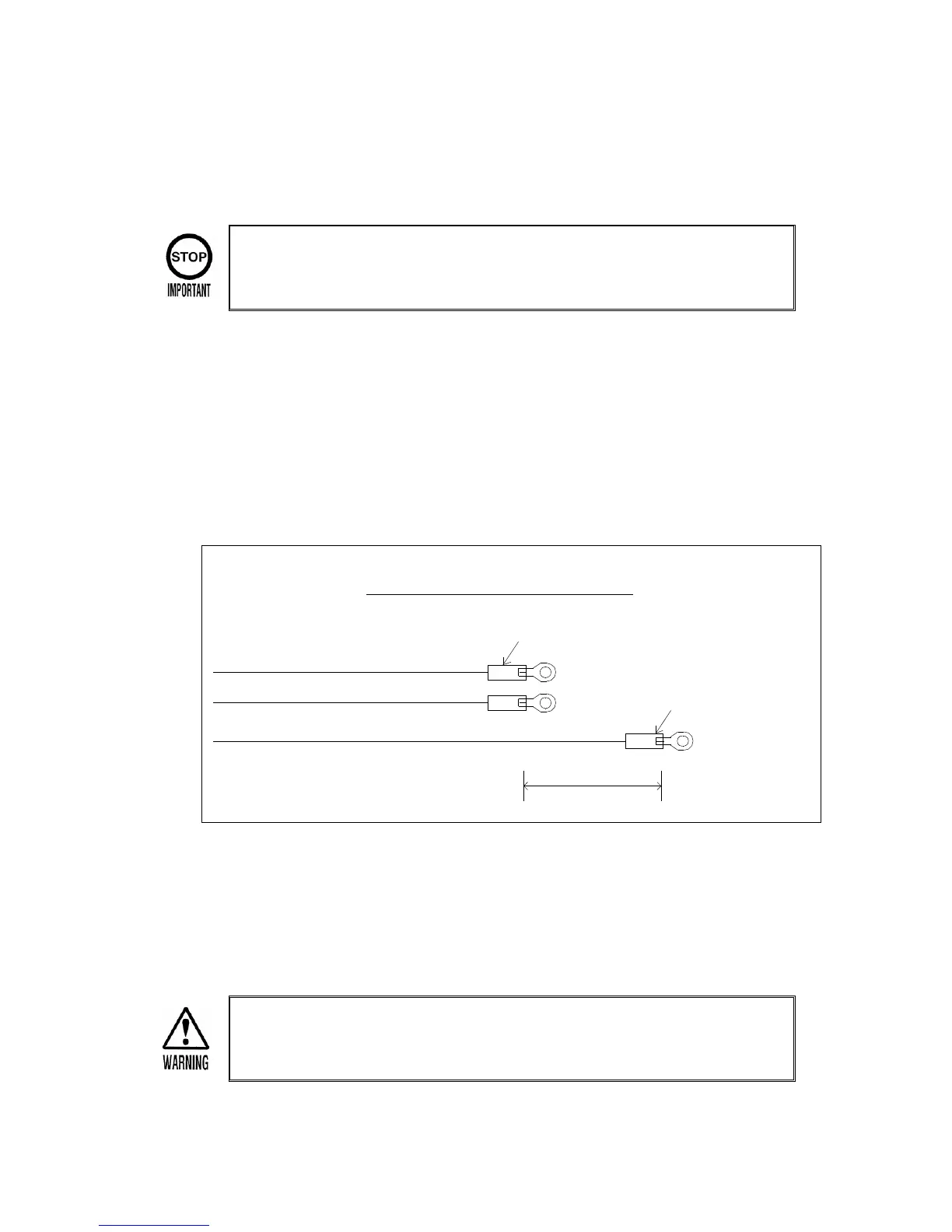
Specification of the main AC power cord (Recommended)
Main AC Power Cord
1.25 sq. - 4 O
UL 16 AWG (Green Color)
2 sq. - 4 O
UL 16 AWG
UL 16 AWG
300 mm
Isolation Tube
2 sq. - 4 O
Isolation Tube
Prepare the main AC power cord compatible with above specification description.
To connect and/or verify the power cord voltage setting,
1) Open the MSCU cover in the rear of the simulator.
Before opening the MSCU cover, make sure the power line is NOT
connected to the building power source and that there is no electrical
power supplied to the system to prevent injury from electrical shock.


 To Next Page