____________________________________________________________________________________________________________________________
Operating Instructions Sinarback eMotion 75 LV / 75 / 54 LV 11
5 Image Information
5.1 Symbols
The Sinarback eMotion features the following symbols on its built-
in display.
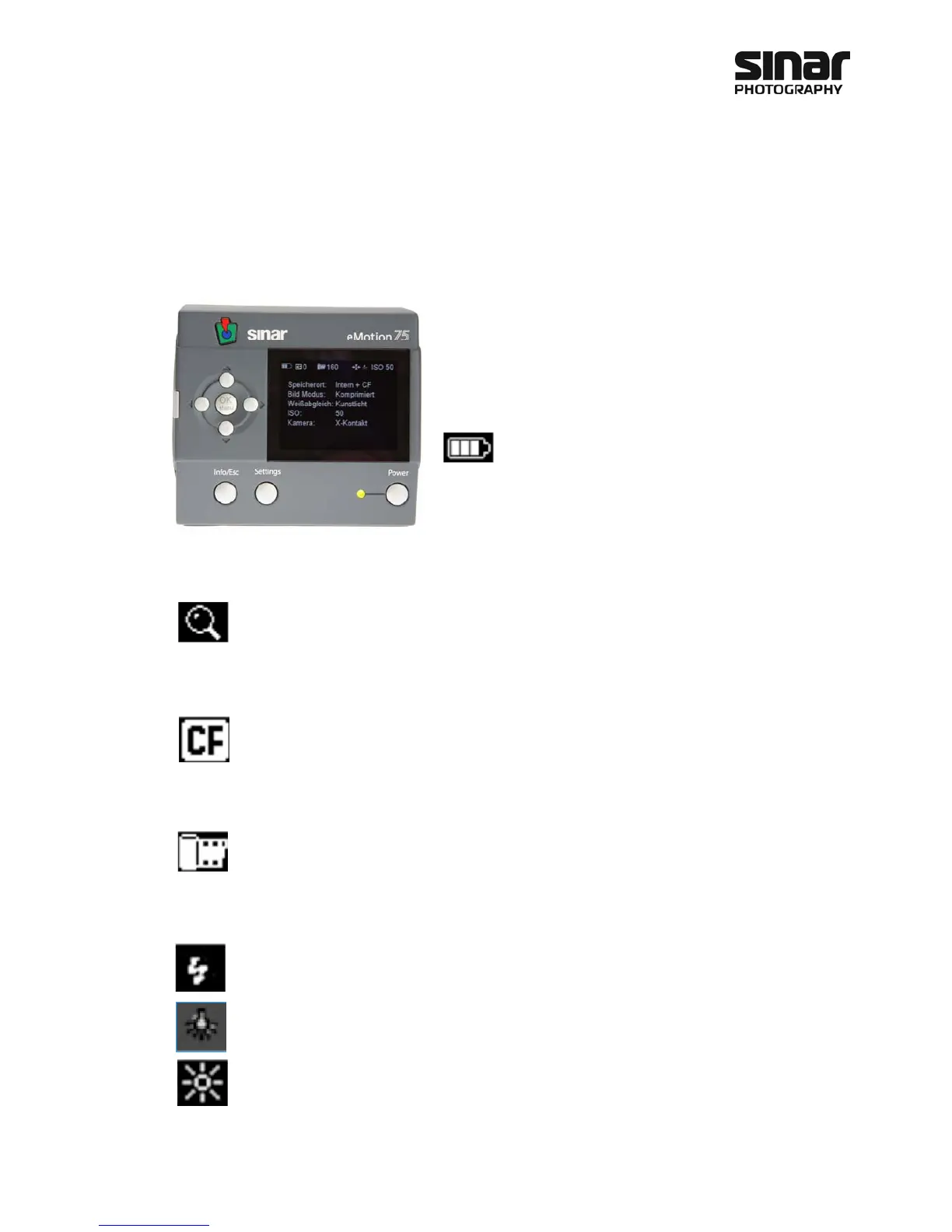
The status indicator of the Sinarback eMotion appears on the
upper edge of the display to inform you at a glance about the
setting that you have made on your Sinarback eMotion.
The battery symbol indicates the charge level of the
battery that has been inserted. It is divided into three
bars. When three bars are lit, this means that the battery is
charged to between 75% and 100% of its capacity. Two bars
indicate a charge between 25% and 50%. When only one bar is
lit and when it turns red, this means that the charge is now less
than 25%, so that the battery should be replaced soonest. When the voltage of the battery is no longer suffi-
cient, the Sinarback eMotion will switch itself off automatically
The magnifier symbol indicates the zoom level at which you are operating. If no number appears
behind the magnifier, you are viewing the entire image area on the display. If the symbol “16x”
appears behind the magnifier, you are viewing a 1:1 display, i.e. one pixel on the screen
corresponds to one pixel on the sensor. This setting also corresponds to a 100% representation in
an image manipulation program. This enables you to evaluate the sharpness of an image.
When there is no CF card inserted into the camera, three lines will appear behind the CF card
symbol. When a CF card is inserted, a number will appear behind the CF card symbol. This number
indicates the number of images that can still be stored on the CF card. When an image is being
recorded on the CF card, the CF card symbol lights up in red. The CF card must not be removed
from the Sinarback eMotion while the CF card symbol is lit up in red.
The symbol with the film cartridge is the symbol for the internal memory. The number that appears
behind that symbol indicates the number of images that can still be stored in the internal memory.
Next to the display that indicates the storage space that is still available, information is given about the white
balance that has been selected. This symbol can have various different appearances.
If a lightning flash appears in the symbol, this means that the Sinarback eMotion is set for the color tem-
perature of flash illumination (5000 Kelvin). Flash pictures that you take with this setting will appear neutral.
If a light bulb is shown in the symbol, this means that the Sinarback eMotion is set for the color
temperature of artificial light (3500 Kelvin). Pictures taken with artificial light will appear neutral.
If you have set the white balance on the Sinarback eMotion for Sunny, a sun will appear in the
symbol. This white balance is intended for exposures in direct sunlight.



 To Next Page