____________________________________________________________________________________________________________________________
Operating Instructions Sinarback eMotion 75 LV / 75 / 54 LV 12
When the white balance on the Sinarback eMotion is set for Cloudy, a cloud will appear in the symbol.
This white balance setting is intended for exposures made when the sky is covered with clouds.
If you are working on a sunny day, making exposures in the shade of a tree or a house, we
recommend that you select the white balance setting for Shade.
In rooms with fluorescent light illumination, we recommend the white balance setting for Neon.
When you select this setting, fluorescent tubes will appear in the symbol.
In mixed light situations we recommend a Manual setting of the white balance. When you select
this setting, the symbol shown on the left will appear.
The number that appears behind ISO indicates the sensitivity that has been selected on the Sinarback eMotion.
When a Hasselblad H1 camera is being used, the sensitivity will also be shown on the display on the Hassel-
blad H1 camera.
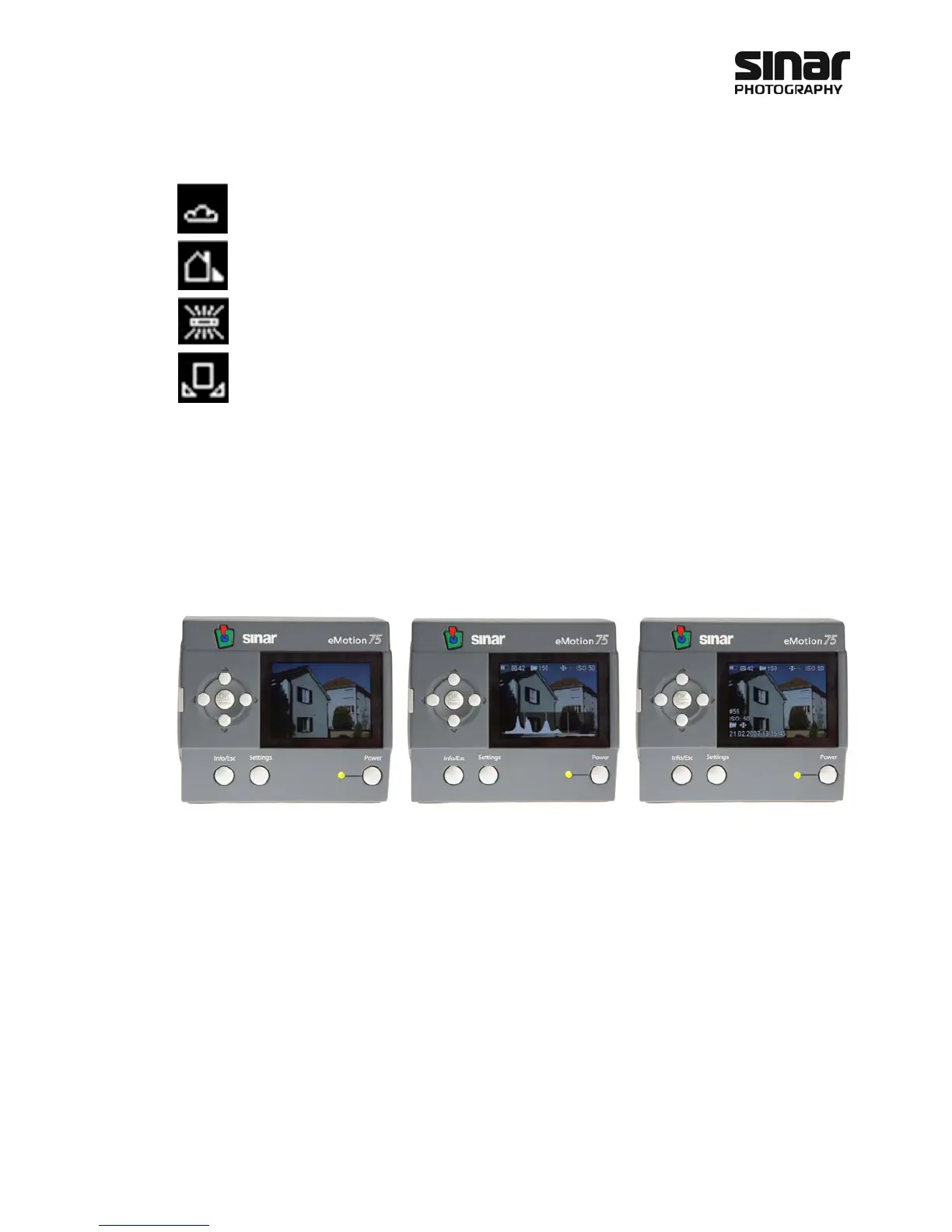
5.2 Image Information
When the Sinarback eMotion is being used, various items of information can be called up by pressing the
Info/Esc key.
View without image-, storage- and
Sinarback information.
View with storage- and Sinarback
information along the upper edge
of the image. The histogram is also
incorporated.
View with storage- and Sinarback
information along the upper edge
of the image. Information about
the exposure is also incorporated
at the lower left side.



 To Next Page