____________________________________________________________________________________________________________________________
Operating Instructions Sinarback eMotion 75 LV / 75 / 54 LV 5
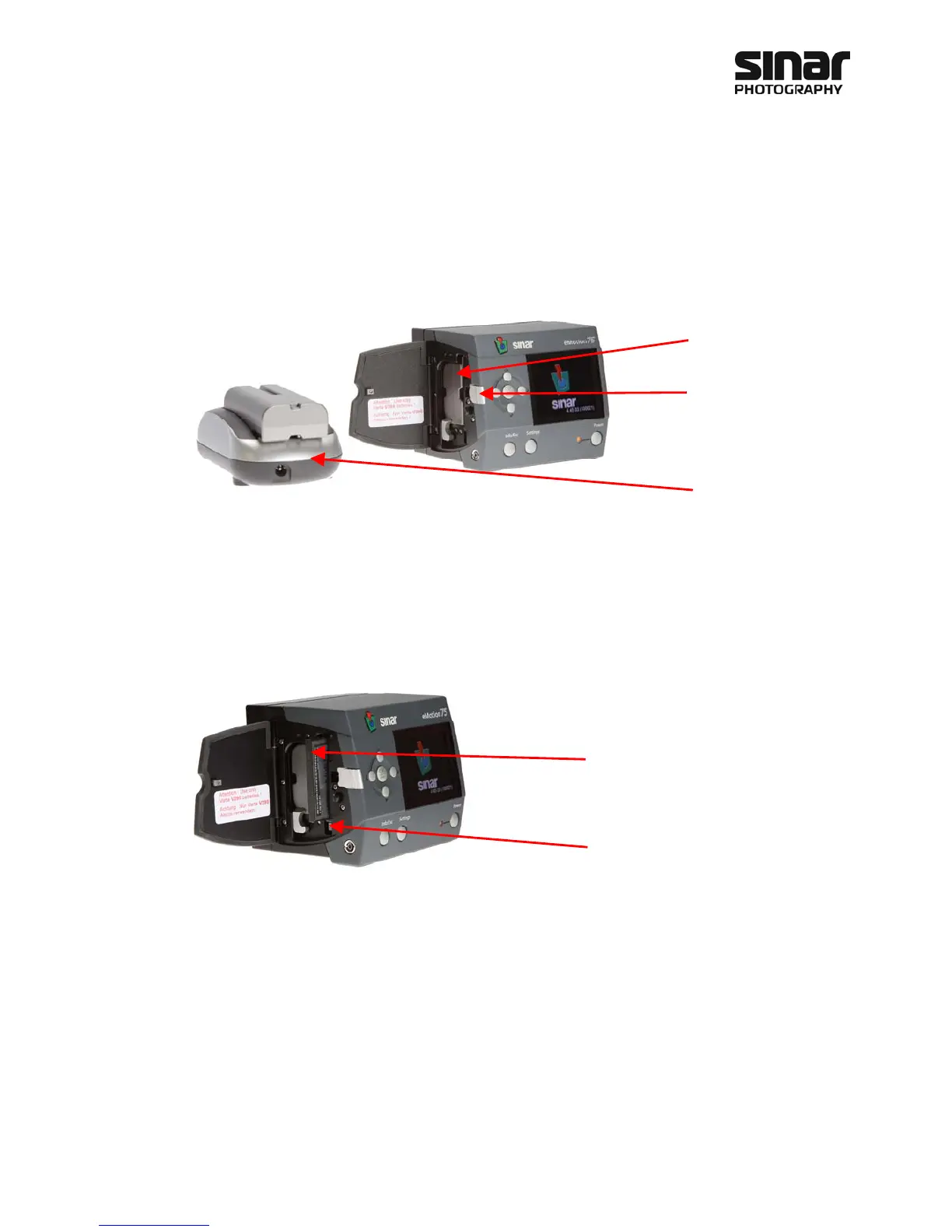
2.3 Battery Compartment and CF Card Slot
2.3.1 The Battery Compartment
Important Notice
Please note that only batteries that have been approved by Sinar Photography AG can be used. Details are
listed under Technical Data.
2.3.2 The CF Card Slot
Important Notice
Please note that, as long as the LED by the Compact Flash card is blinking, images are still being transferred to
the CF card. The card must only be removed when the LED has stopped blinking. Otherwise, there is the dan-
ger of an irreparable loss of data.
Battery compartment
Release lever
Battery charger
CF Card Slot
Release lever



 To Next Page