155
40
70
S
4
0
S
7
1
S
6
0
S
4
0
S
2
0
25
10
Z/ Z
T
UV WX
Y Z [
UX\
WV UX
Y Z [
WX\
[
V WX
Y Z ]
X\
X
2. There is relation between every subsidiary zero position and the zero
position is the absolute mode. After a subsidiary zero position is set, it will
keep the position relation between it and the zero position in the absolute
mode in memory, once the zero position in the absolute mode changes, the
subsidiary zero position will also change by the same distance and angle.
Ⅱ
ⅡⅡ
Ⅱ. The operator may fully make use this function as the
following:
1. Set the zero position in absolute mode (ALE lamp on) at the main reference
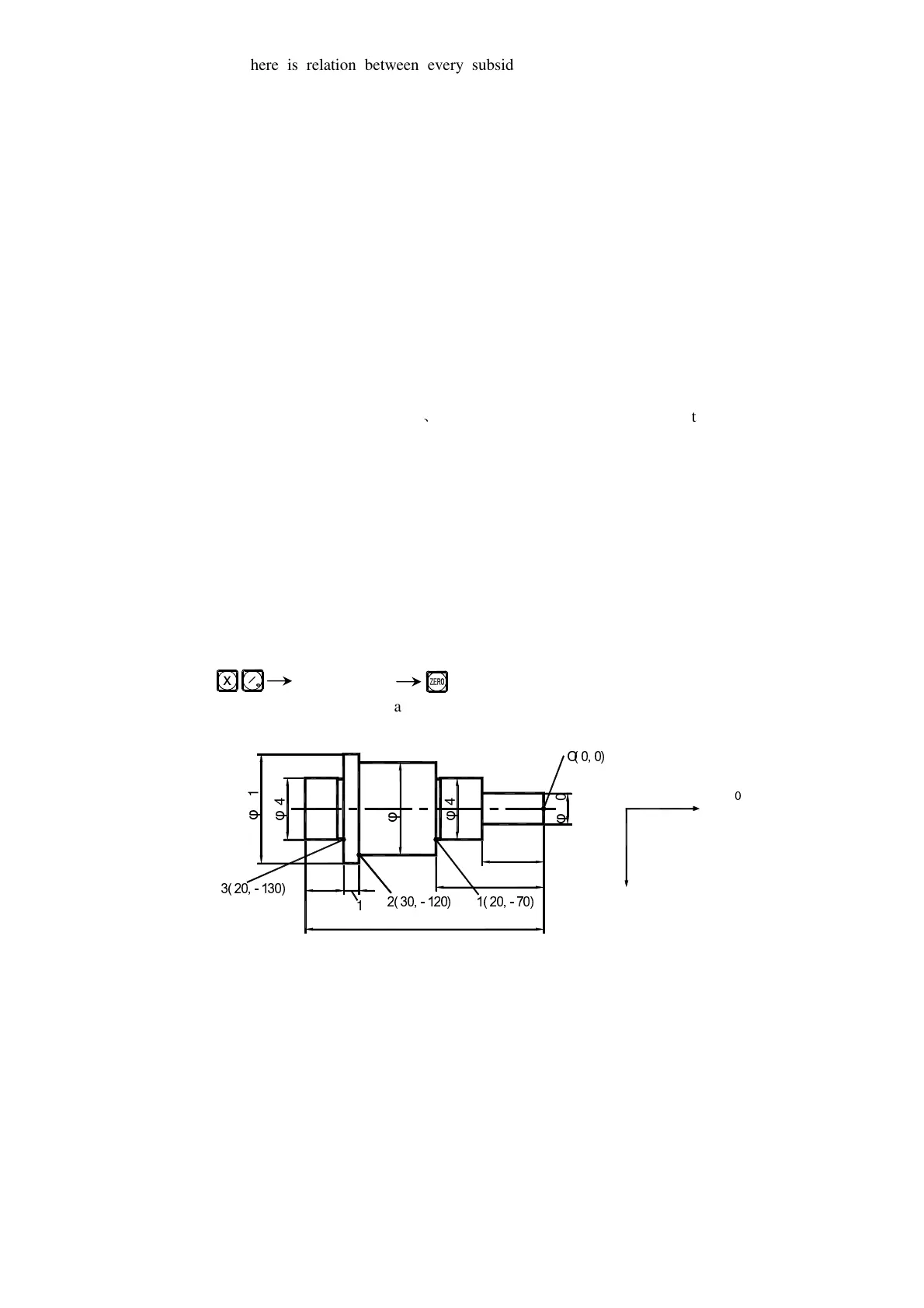
point of the working piece, for example, Point O in Fig. (1) in next page.
Set subsidiary zero positions at subsidiary reference points of the working
piece, for example, Points 1
O
2 and 3 in Fig. (1). It is possible to enter the
display mode of every UCS taking a subsidiary zero position as its original
points to perform the processing when need.
2. In the display mode of every UCS, processing with various special function
can be performed.
Ⅲ
ⅢⅢ
Ⅲ. The setting of subsidiary zero position
There are two methods of setting subsidiary zero position: the one is
entering the position of the subsidiary zero position directly, the other is
resetting once a subsidiary zero position is reached.
Method 1: Directly Entering, under the UCS display mode, key
Number keys .
Take Fig. (1) as example: After turning the machine on, move the
machine tool to the center point O in Fig.(1), Enter the absolute display mode.
Z
Z


 To Next Page