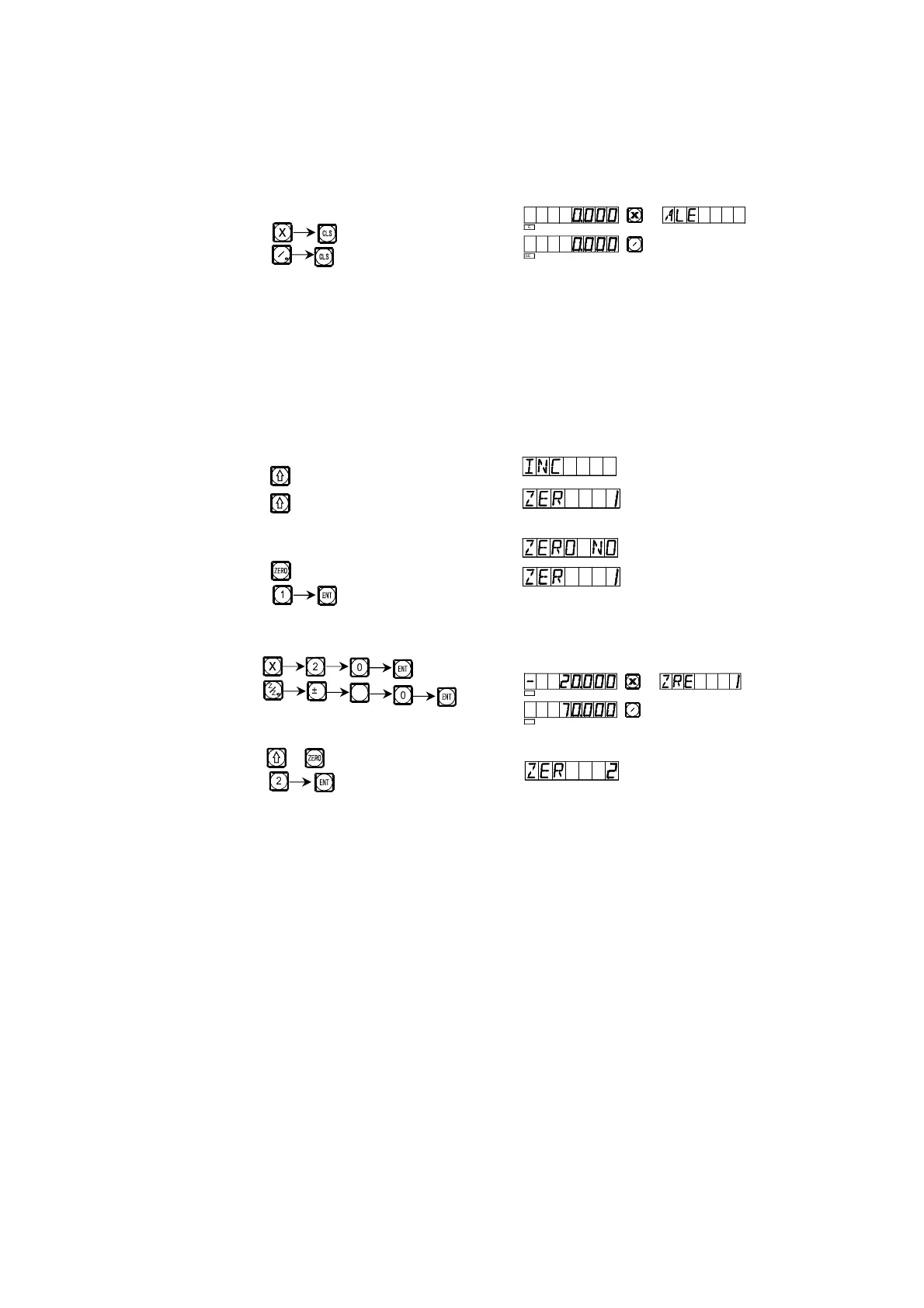
Fig. (1)
Reset, set the zero position in the absolute mode at the main reference of
the working piece.
1) After setting the zero position in the absolute mode, use “zero position
automatic tracking function” to perform a keeping in memory operation, in
order that once a power interruption happen in the course the zero position
may be tracked back.
2) Enter the UCS display mode. (Two Method)
Method 1:
Key
Key
Method 2:
Key
Key
3) Enter the position of the first subsidiary zero position.
Key
4) Enter the position of the second UCS.
Key or
Key
5) Enter the position of the second zero position.
Z
Z
M
N
Z
Z
L
7
N
M
SEL
SEL
Z
Z0
SEL
SEL
Z
Z
0
_


 To Next Page