GTJZ0612E&0812E&1012E&1212E Operation Manual 7-1 © Mar. 2022
7 OPERATING THE MACHINE
UNSAFE OPERATION HAZARD
Be sure to follow the instructions and
safety rules in this manual. Failure to
follow the instructions and safety
rules in this manual may result in
death or serious injury.
Do not operate this machine unless
you have learned and practiced the
rules for safely operating the ma-
chine as stated in this manual.
• Know and understand the safety
rules before continuing the next
step.
• Avoid dangerous situations.
• Always check the machine before
operating.
• Select appropriate machinery and
personal protective equipment
(hard hats, safety belt and gloves,
etc.) for the task.
• Always perform a pre-operation
function test before using the
machine.
• Check the work site.
• Check the safety decals/ name-
plate on the machine.
• Only use the machine according
to the instructions in this manual
and for its intended purpose.
This section provides specific instructions for all the as-
pects of machine operation. The operator is responsible
for following all the safety rules and instructions in this
manual.
Use this machine to transport people and tools to the
workplace. It is unsafe and dangerous to use this ma-
chine for purposes other than what is stated in this
manual.
Only trained and authorized personnel may operate the
machine. If more than one operator uses the same ma-
chine at different times of the same work shift, they
must all be qualified operators and follow all the safety
rules and instructions in this Operation Manual.
Each new operator must perform the pre-operation in-
spection, pre-operation function test, and workplace
checks before using the machine.
EMERGENCY STOP
1. Push in the emergency stop buttons on the platform
controller and ground controller to the OFF position.
All functions will not operate.
2. Push in the power off switch on the left door of
chassis to the OFF position, all fuctions will not
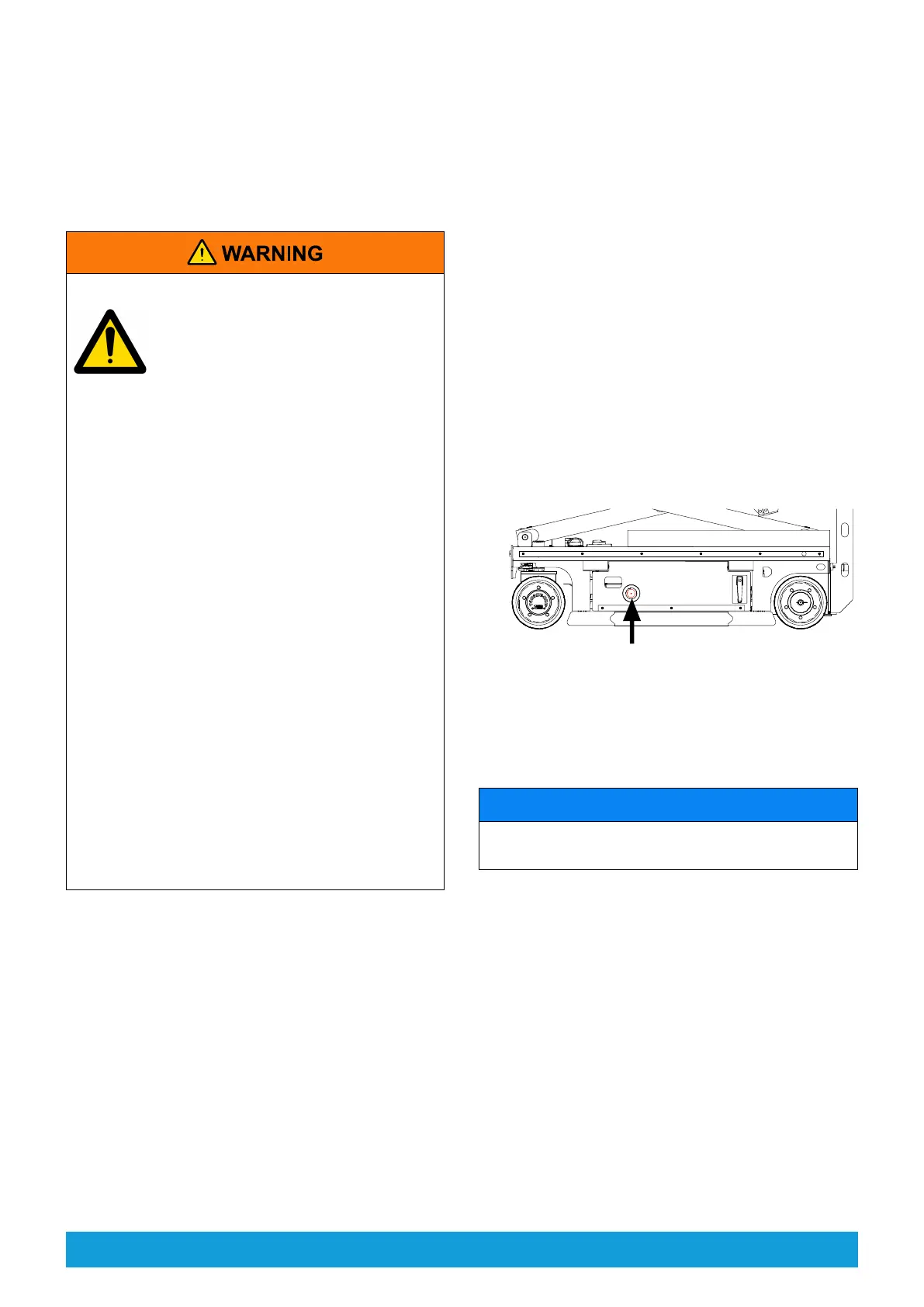
operate. The power off switch is located as below:
Figure 7-1 Power off switch
3. To resume the operation of any function, return the
positions of the emergency stop button and power
off switch to the original.
NOTICE
If the platform controller displays the number “02”,
press the emergency stop button immediately.
USING THE EMERGENCY
LOWERING FEATURE
Pull out the emergency lowering handle to activate the
machine’s emergency stop function.
See Testing the Emergency Lowering Function,
page 6-8 for the emergency lowering handle position.








 To Next Page