© Mar. 2022 7-8 GTJZ0612E&0812E&1012E&1212E Operation Manual
OPERATING THE MACHINE
4) Connect the quick connector between the water
refilling machine and the battery and turn on the
power switch to start automatic water refilling.
5) After water refilling is completed, the automatic
water refilling system will automatically stop.
6) Turn off the power switch and disconnect the
water refilling plug to complete water refilling.
2. If the battery is not equipped with an automatic
water refilling system, check the electrolyte level
after charging. If the level is lower than the allow-
able height (the white dot of the battery observation
hole is not at the top), wear gloves to add conform-
ing distilled water or deionized water to the standard
level (1-2cm above the minimal level of the water
filler plug). Never add any acid solution.
CHEMICAL BURN HAZARD
• Avoid battery acid escaping out
or contact with unprotected skin,
and if does, wash the skin with a
large amount of clear water and
seek medical assistance
immediately.
• If excessive distilled water is
added, suck out the excessive
distilled water until normal level
is reached. If excessive distilled
water is added and the electro-
lyte overflows, use water mixed
with bicarbonate (baking soda)
to neutralize the acid, and blot
up the liquid with a suction pipe.
Charging the maintenance-free battery
1. Check the battery level on the display of ground
control box. When the battery level is less than or
equal to 20%, an alarm will be triggered and the bat-
tery needs to be charged immediately. For the pur-
pose of not affecting the normal operation of the
machine, it is recommended to charge the battery
when the battery level is lower than 30%.
2. Completely power off the machine.
3. Connect the charger to a grounded AC circuit. The
indicator light will be on after the battery is fully
charged.
4. After charging, disconnect the cable plug from the
battery to the charger.
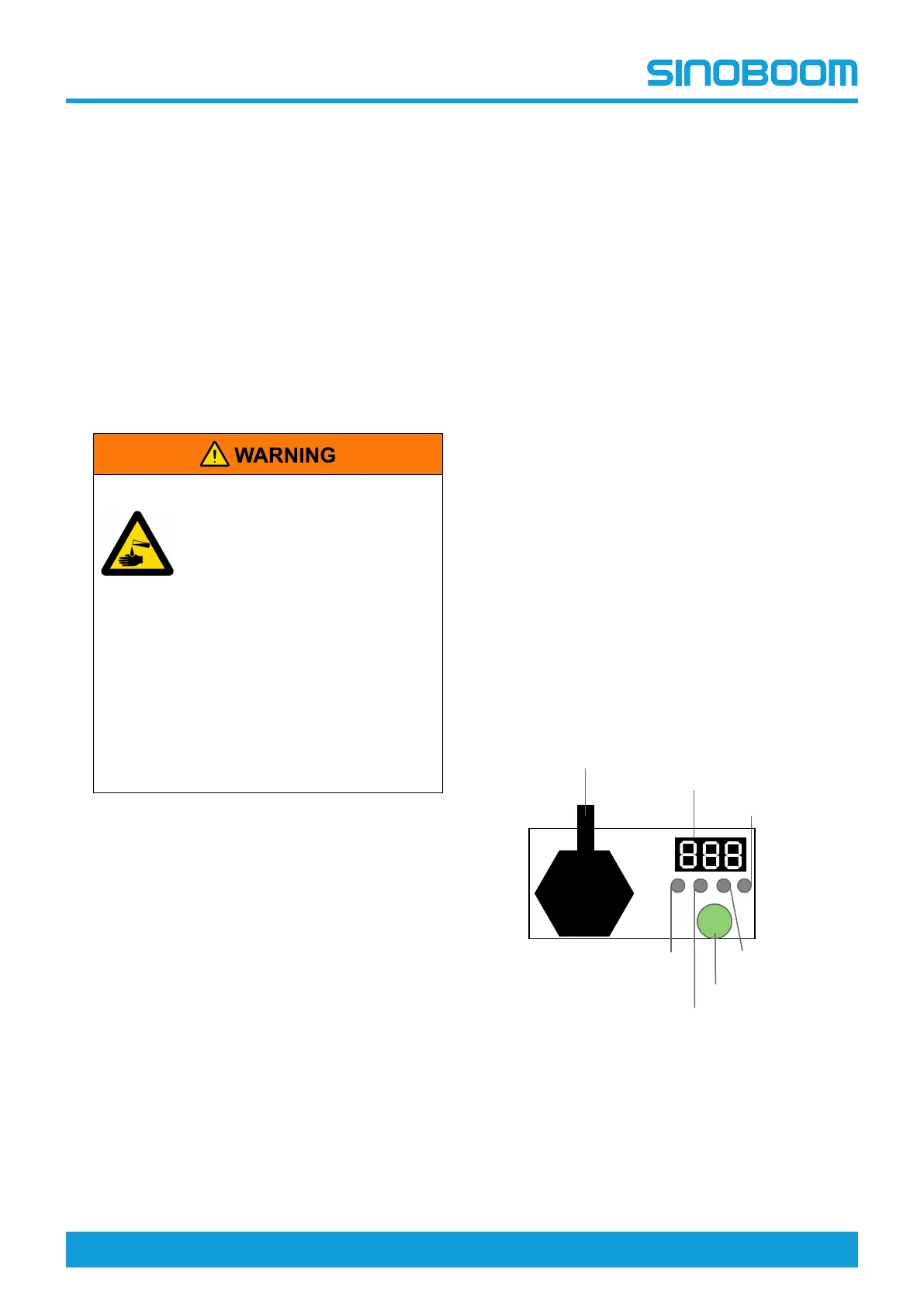
CHARGER LED AND
DIGITAL DISPLAY
LED indicator light and digital display:
Connect the charger to the battery, and plug the
charger to a civil power outlet, the charger will get into
the charging mode. The digital display will show the
following in turn: AC XXX(current AC input voltage),
CPU X.XX(software version of the charger);b**(shows
the current charging curve code)
Charging state indicator lights and digital display:
• % capacity percentage indicator light:digitally
show the current percent,for example:10 20 30…
100 (%).
• V charge voltage indicator light:show the current
charge voltage, digitally show the specific voltage
value, for example:24.0 (V).
• A charge current indicator light:show the current
charge current, digitally show the specific charge
current value, for example:36.0 (A).
CHANGING CHARGER
BATTERY CURVE
Note:The battery curve of the charger for the lithium
battery needs no setting, the following instructions are
only for the lead acid battery charger only.
Figure 7-4
To switch the curve:
1. Press and hold the Select key for 5s and release,
the display will indicate the current curve code.
2. Press gently for 1s and release to switch the
charging curve codes.
%
V
A
B
EQ/
Select
Battery
voltage indicator
Charging
current indicator
Charging capacity
Display
Charging voltage indicator
EQ/Select Button
Battery program
update interface








 To Next Page